
Sync My Contacts with Google Sheets
Keeping track of your form submissions and contact information is essential for any growing business — and what better way to do it than syncing your data directly with Google Sheets? POWR Form Builder's Google Sheets integration allows you to automatically send every new form submission straight to a Google Sheets spreadsheet in real time, so your data is always organized, up to date and easy to access. Whether you're managing leads, collecting customer inquiries or tracking orders, syncing with Google Sheets eliminates the need for manual data entry and keeps everything in one convenient place. In this article we'll walk you through exactly how to set it up in just a few simple steps.
Go to My Contacts by clicking on it in the left panel navigation.
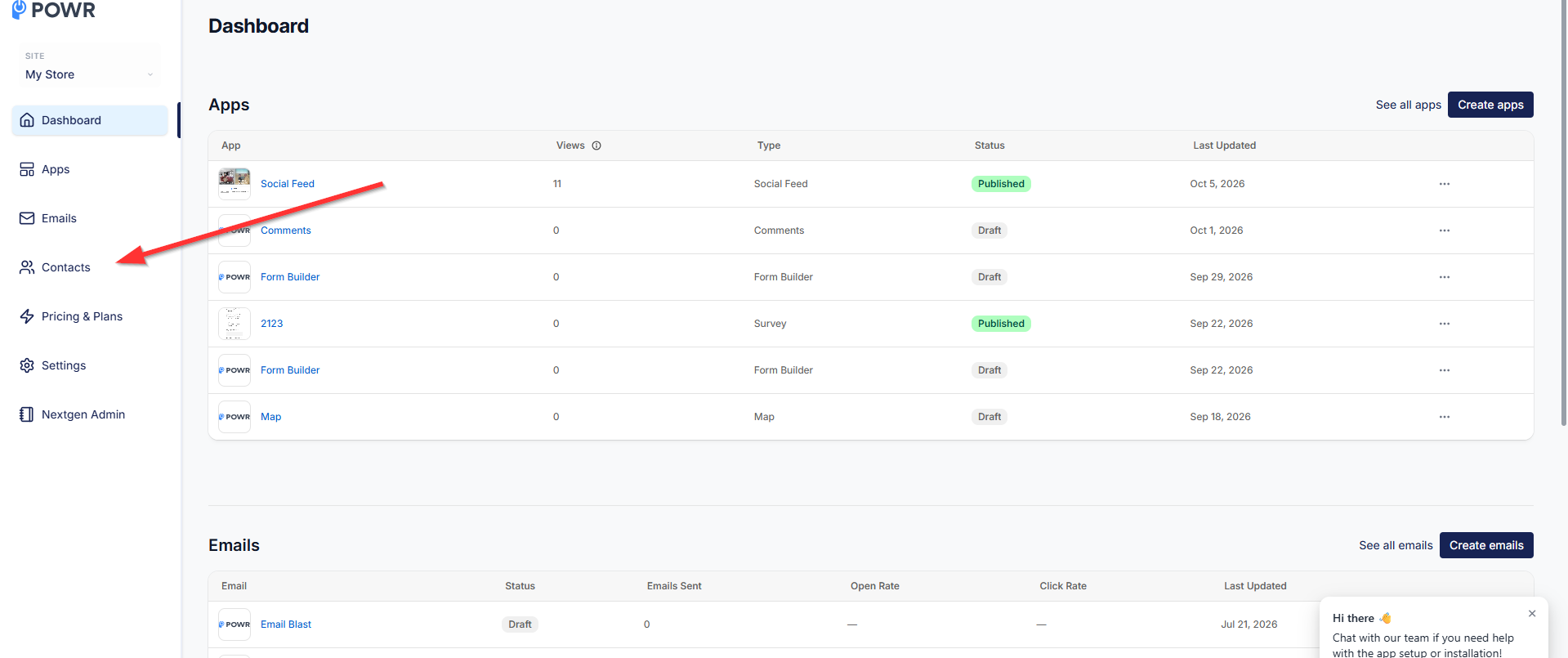
Click on the Integrations button on the Contacts page:
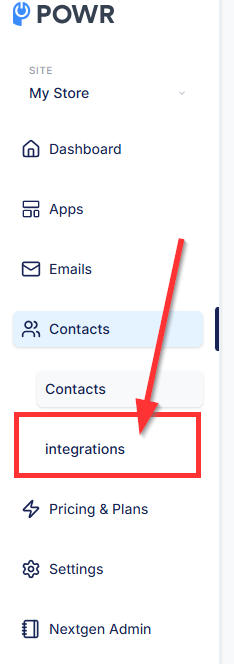
Click on Connect next to Google Sheets:
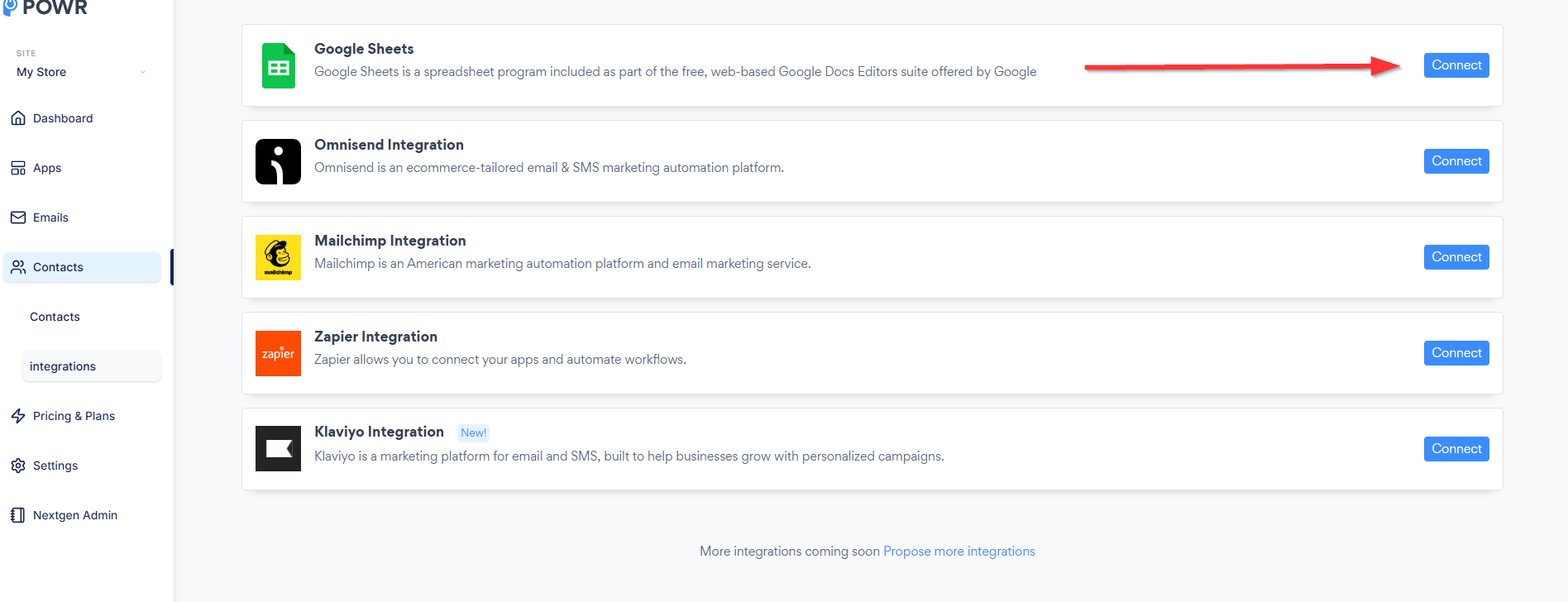
Allow access:
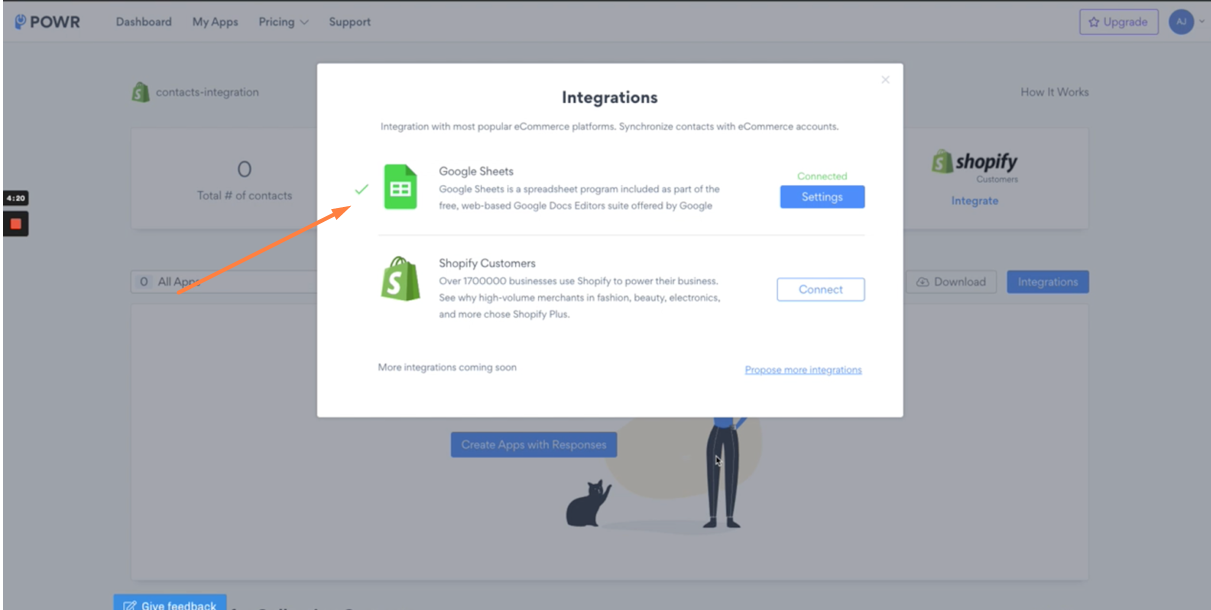
Finish - a green checkmark should appear next to the Google Sheets logo:
Syncing your POWR form submissions with Google Sheets is one of the easiest and most powerful ways to stay on top of your contacts and data — all without any manual effort. Once set up every new submission will flow directly into your spreadsheet automatically, saving you time and keeping your records accurate and organized. If you run into any trouble connecting your Google Sheets account or need help setting up the integration, our support team is always happy to help — just reach out and we'll get it sorted for you!
For more information on how My Contacts works, please refer to our dedicated guide: POWR Contacts Explained
If you'd like to integrate My Contacts with your Shopify Customers, you can find step-by-step instructions here: Sync Your POWR Popup or Form with Shopify Customers
⚠️ Please note: The Google Sheets sync is a paid feature available on the Pro plan and above. We understand that upgrading is an important decision, so if you'd like to explore what's included in each plan and find the best fit for your needs, feel free to check out our Pricing Page. And if you have any questions about which plan is right for you, our support team is always happy to help! 😊
Need Help?
If you need any help or have any questions about POWR app, our support team is happy to help.
Contact our support team
When contacting us, you'll be prompted to authenticate your email by signing in, and a confirmation code will be emailed to you. This helps ensure our support team's reply will be delivered to you with no issue.
For more information about available features, visit our Pricing Page:
https://www.powr.io/pricing