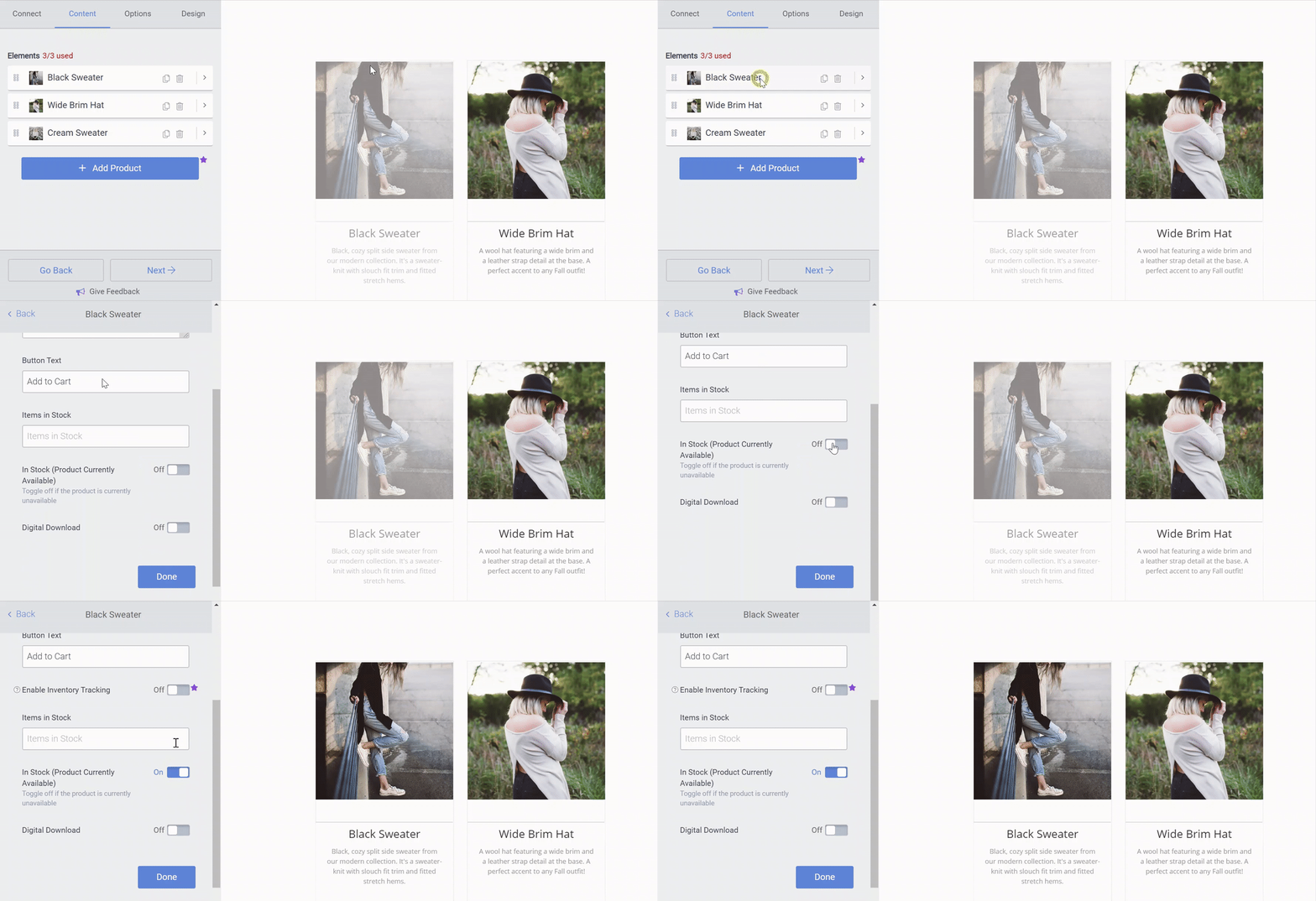
eCommerce items appear grayed out and button is not clickable
When you create an eCommerce product with greyed-out button/product, this means that your items are set to not in stock. This tells your customers, 'I sell this product but it's unfortunately not available at this time'. If your product is available, make sure to check the In Stock option under Product Info > Item In Stock.
As soon as you have checked this option, your eCommerce will become active and you can start selling your products.
To toggle this option on and off:
- Open the POWR Editor (or App Settings in Wix)
- In the Content section, open the product
- In the Info section toggle on/off Item In Stock (Product Currently Available)