
CAPTCHAs on POWR Forms
As of December 2019 all forms have CAPTCHA enabled to prevent bots from submitting responses. There are two options for how CAPTCHA displays on your form:
- Default: Invisible reCAPTCHA. There is no change to the appearance of your form, and most users will not encounter the CAPTCHA test. If the user is determined to be suspicious, the CAPTCHA test will be invoked over the form at the time of submission.
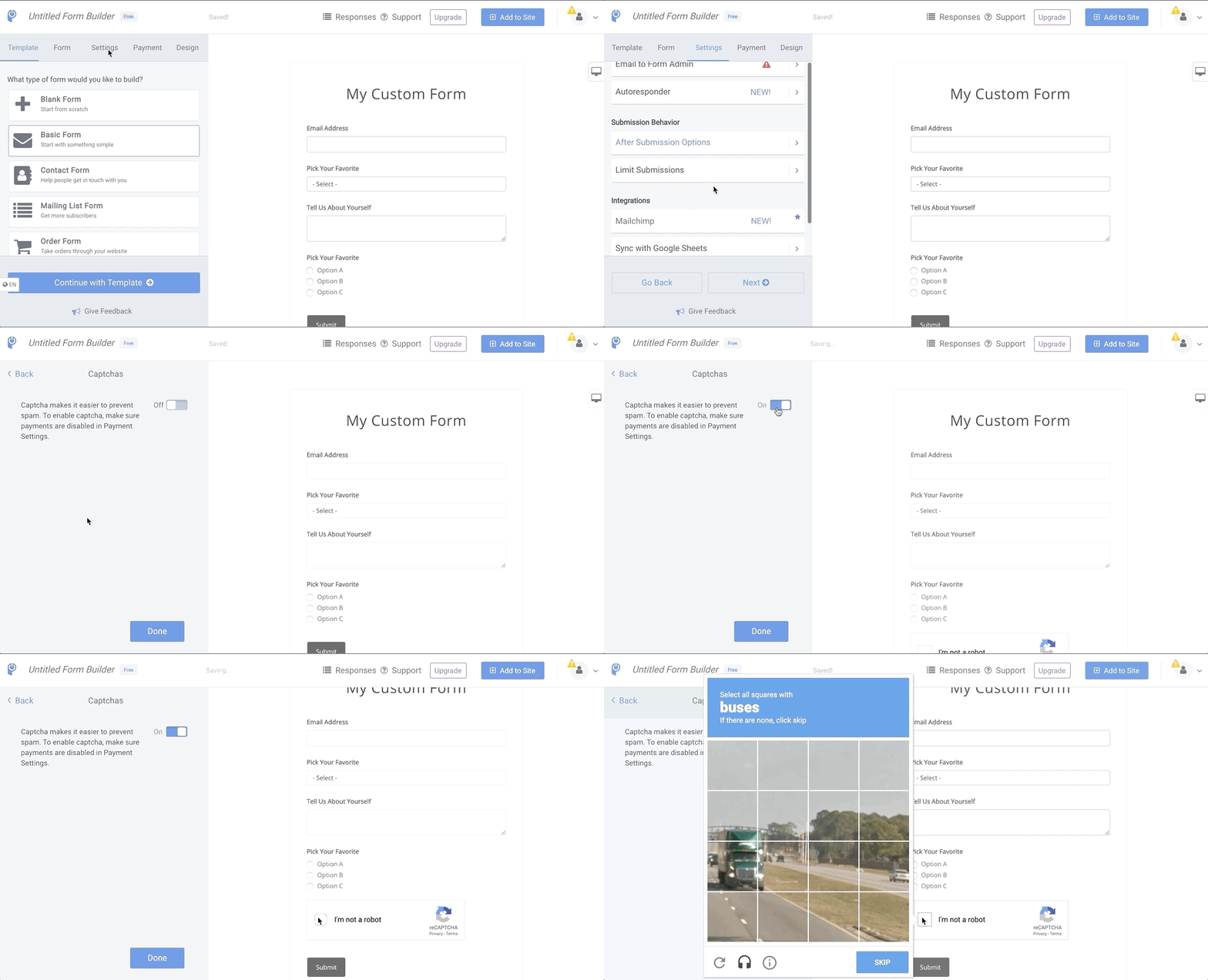
- Optional: "I'm not a robot" reCAPTCHA checkbox. A checkbox will be displayed at the bottom of the form, disabling the submit button until the user has checked the box. If the user is determined to be suspicious, the test will be invoked over the form after the box is checked. All users will see the checkbox, only some users will encounter the test.
To change which CAPTCHA is used with your form:
- Open your Form Editor.
- Go to Settings
- Under Integrations, click on Captchas
- Leave this toggle Off for invisible reCAPTCHA, or toggle On for the reCAPTCHA checkbox
- Save your form
Note: All POWR Forms also use honeypot technology to prevent spam automatically.
Why is CAPTCHA showing on each of my form pages even though it is not enabled?
We have to implement captcha for every our form for security reasons. Unfortunately, we cannot turn it off, otherwise spammer could find this vulnerability and use it for attack/Spam.
However, your visitors should not see this captcha every time because it will appear only if someone submits multiple times from one IP source.