
Can I copy my app in Wix?
As of May 17, 2017, copy-pasting POWR apps in the Wix Editor is now an option.
How to copy-paste in Wix
Copying one of your POWR apps works the same way as copying and pasting other elements in your Wix Editor.
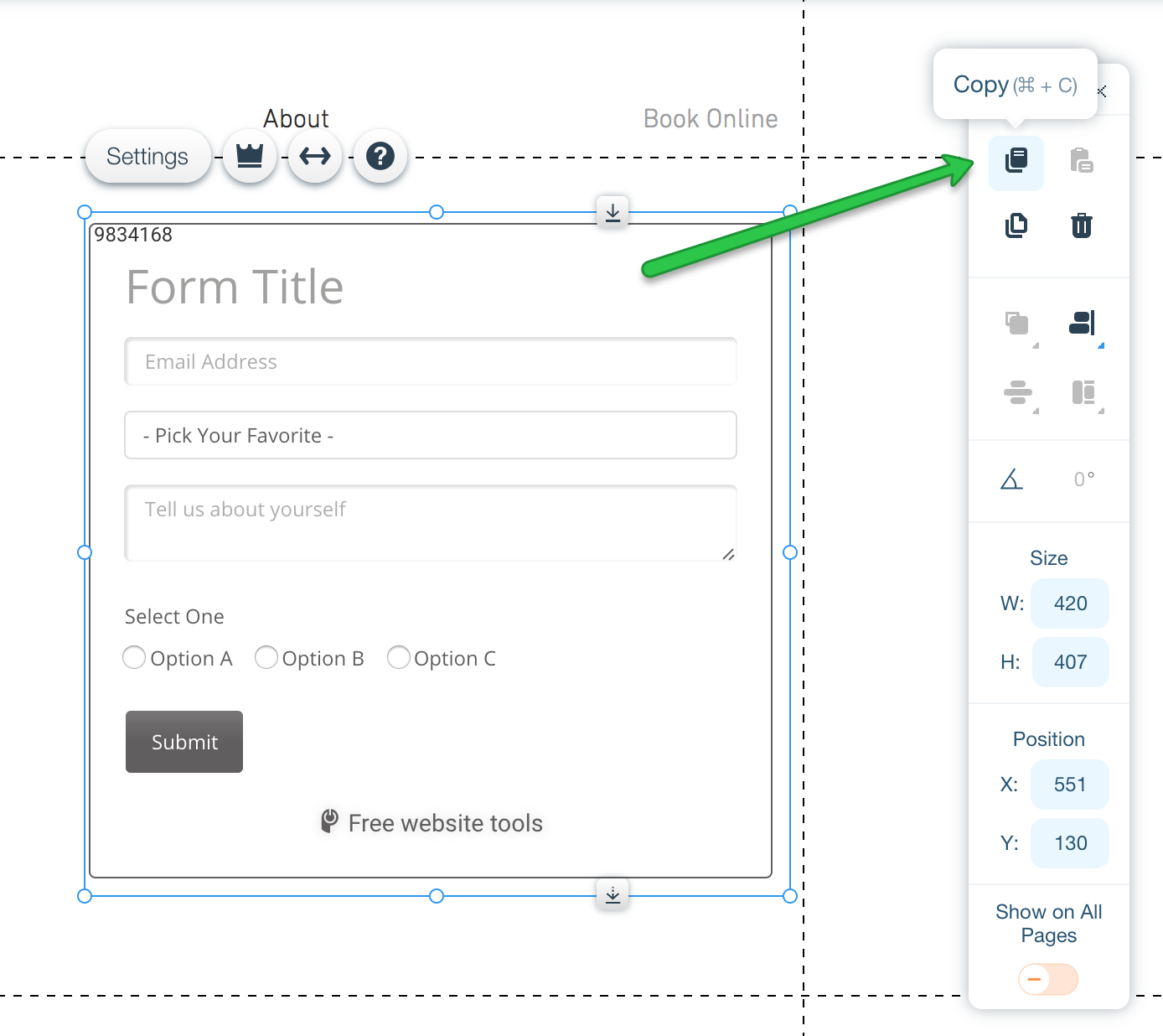
Click on your POWR app
Click the Copy button in the menu bar
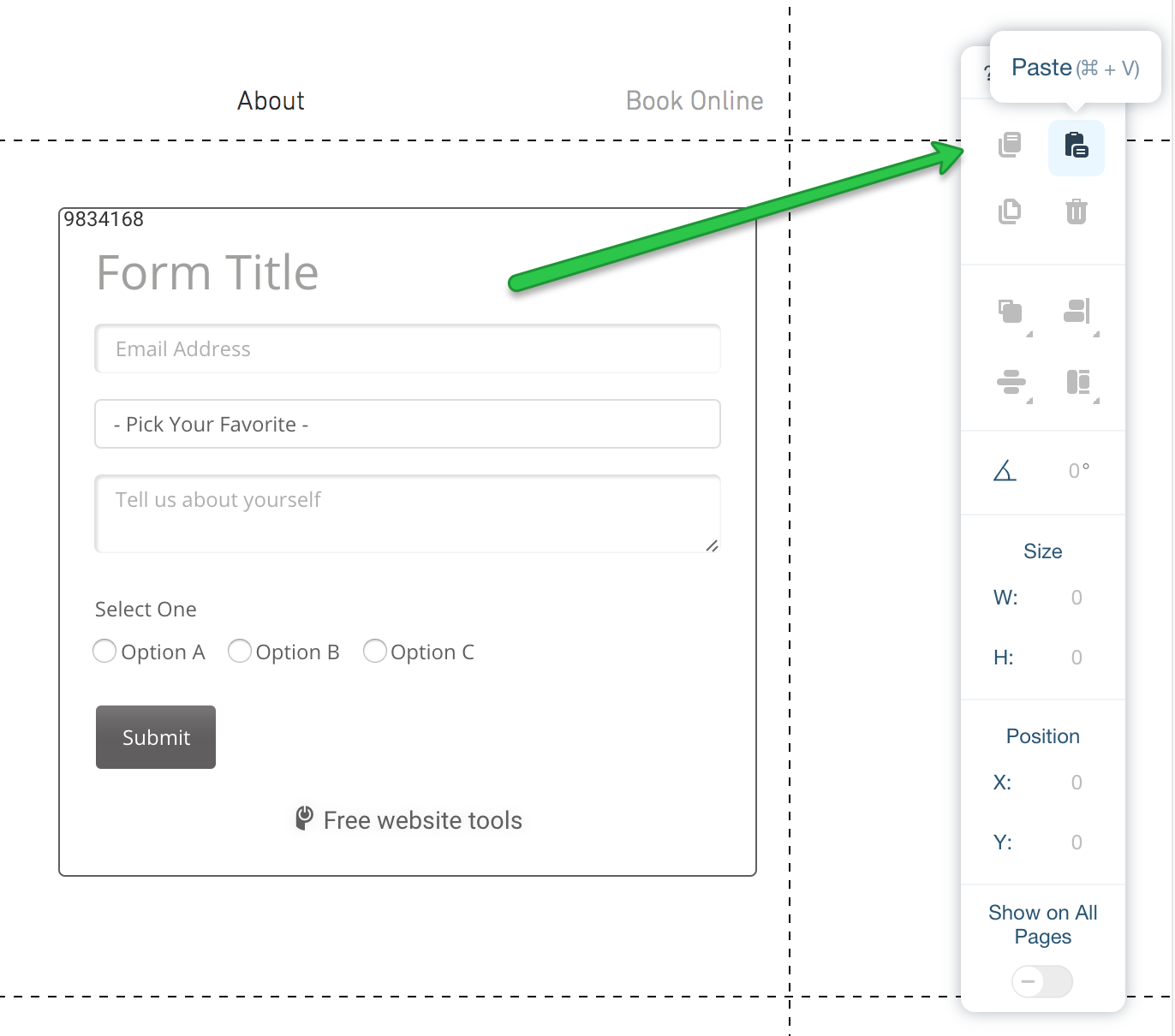
Navigate to the page where you'd like to paste the copy of your app
Click the Paste button in the menu bar
Customize the copy of your app by opening the App Settings.
As an alternative, you can also use your computer's keyboard shortcuts to copy-paste a POWR app.
What does copying do?
Copy-pasting your app in Wix will create a second instance of your app that exists independently from the original.
Any changes you make to the original will not be reflected in the copy. Any changes you make to the copy will not affect the original.
If you need the exact same form (with a shared dashboard) on multiple pages, please contact our support team and they can help you get that set up.
Duplicating Sites in Wix
When you duplicate a site on Wix, new instances to your apps will be created with the same settings.
For example, if you have a form on Site A, and you duplicate Site A, Site B will have a new form with the exact same settings. No need to edit a new POWR app all over again!
"Why is a second instance of the app on the Free plan if the original app is upgraded?"
Copy-pasting the app in Wix will create a new app from the Wix App Market with the same parameter. That is why a second instance of the app will show as free when you copy-paste the original app.