
Uninstalling POWR from BigCommerce
What does uninstalling do?
Uninstalling a POWR app from BigCommerce removes the app from your BigCommerce apps dashboard.
What does uninstalling NOT do?
Uninstalling does NOT remove the POWR code from your site.
Uninstalling does NOT cancel any POWR upgrades.
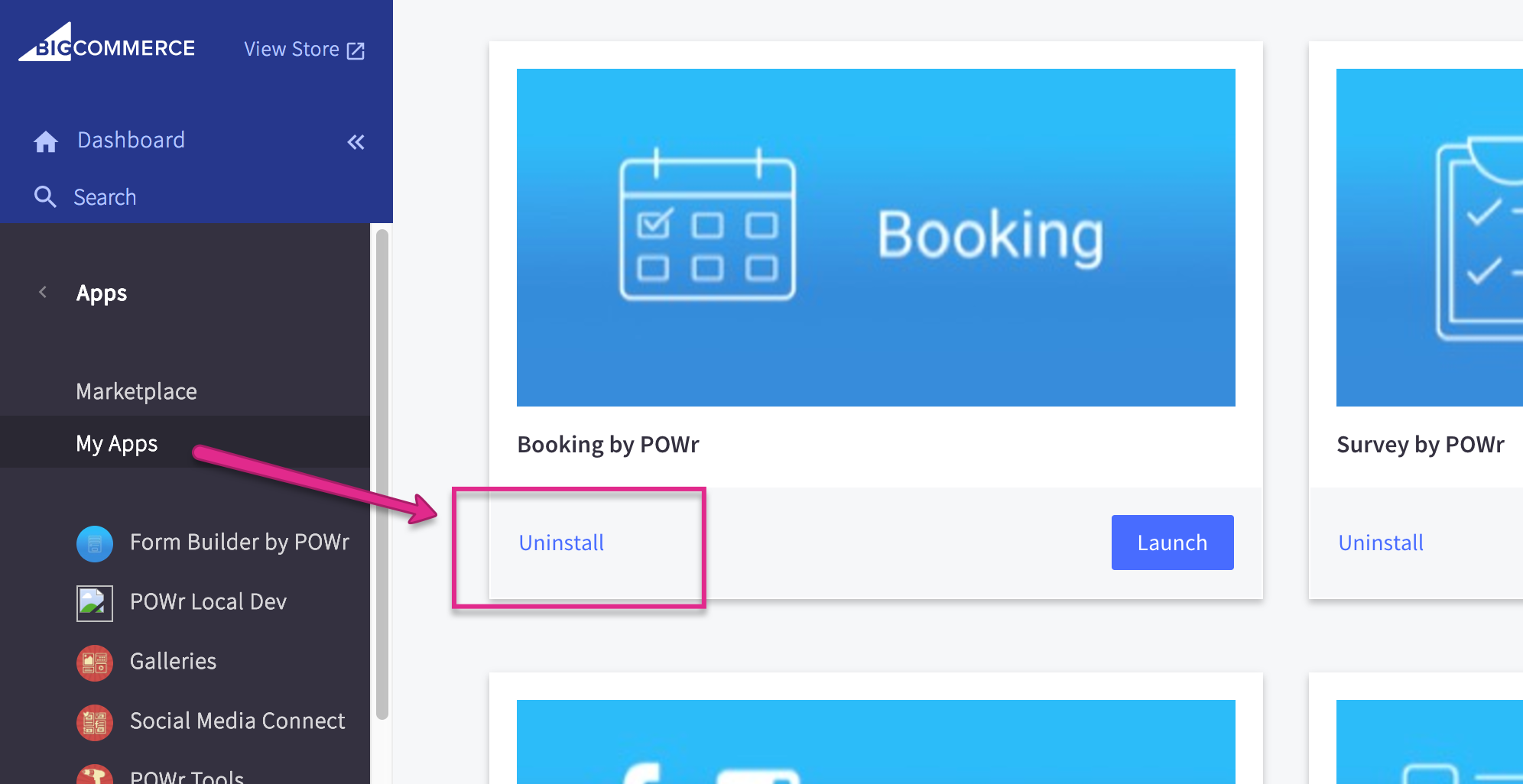
Removing POWR Code from your site
Manual installation used:
To remove the POWR code from your site, navigate to the page(s) or file(s) where you originally placed the code. Remove the lines of code with POWR in it and save your changes.
Auto-installation used:
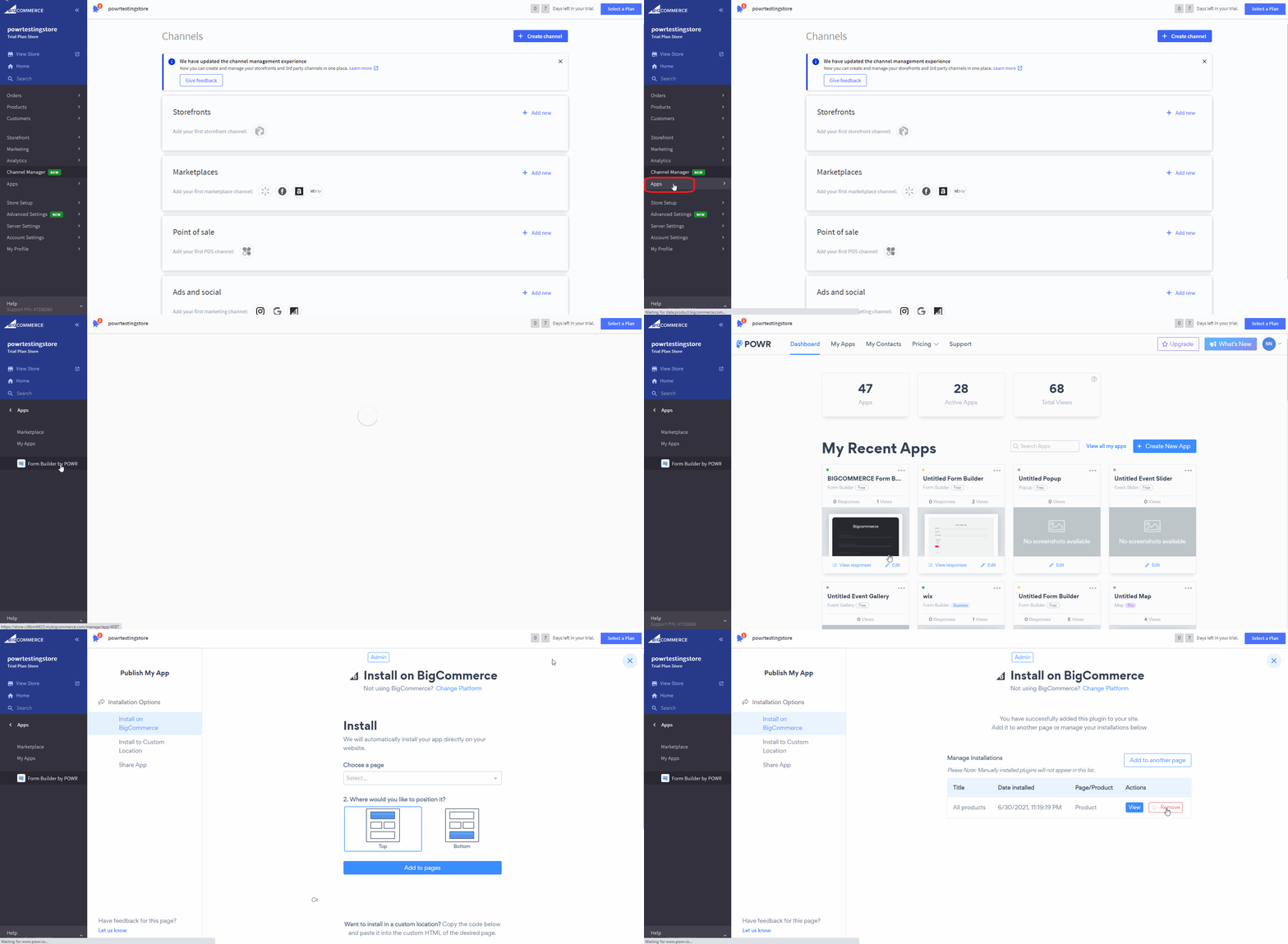
Go to Apps - click on POWR app
You'll see your dashboard, find the app you need and click edit
Click Publish (on the upper right corner)
Click **Remove
**
(right click - open image in new tab - to view in full window)
Cancelling your POWR upgrade
To cancel an active POWR upgrade, go to powr.io and log in to your account. Navigate to Billing > Cancel.