
Uninstall POWR from Facebook Page
To properly remove a POWR app from your Facebook Page, please follow these steps:
- Open your Facebook Page
- Click on Settings in the upper right of the page (you must be logged into Facebook to see this option)
- Go to Edit Page and find your POWR app
- Click Settings
- Toggle off Show ((name of your POWR tab)) tab
- Click Save to confirm your changes
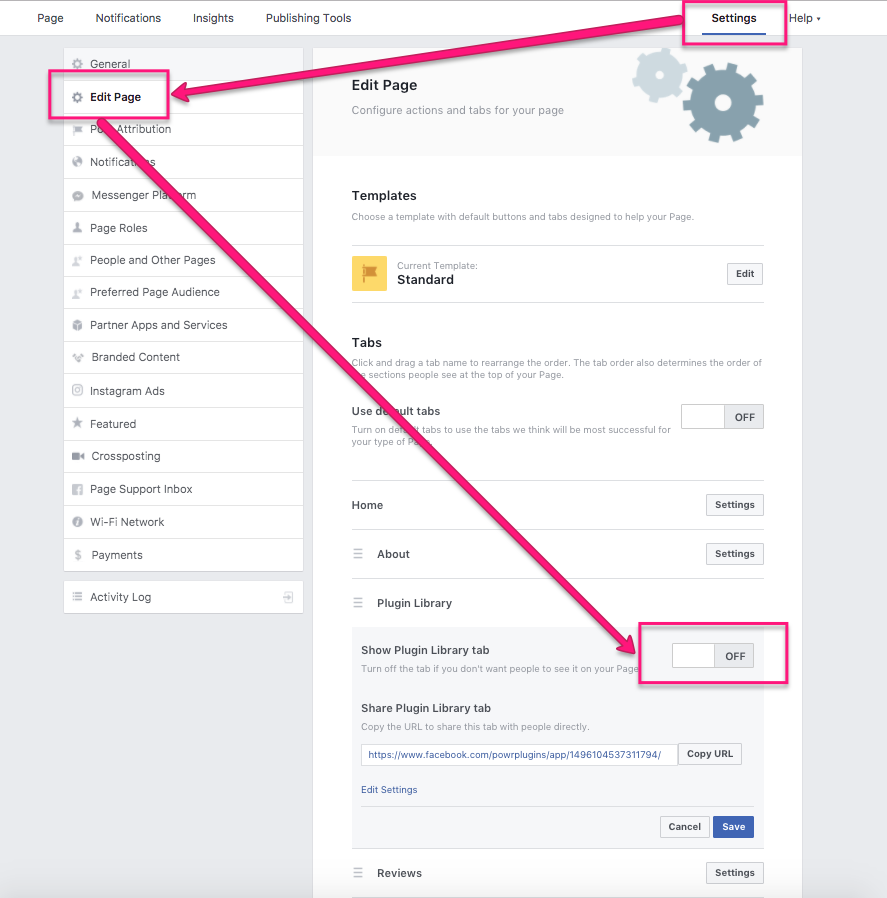
How to uninstall POWR from Facebook Tab?
Go to the Apps tab which is now hidden PAGENAME/settings?tab=apps you can remove from there. More information in this link: https://developers.facebook.com/community/threads/367556954891527/