New Google Site
Q: The HTML code of the POWr app that I created is not working on the New Google site.
A: if the HTML code did not work on your New Google site, you can use the app’s shareable link and embed it to your site as a website URL, please see the steps below.
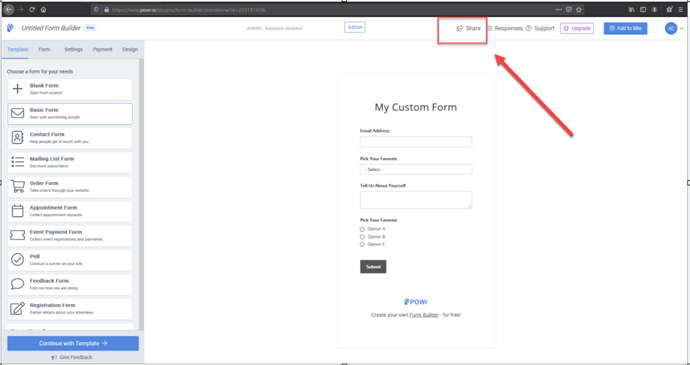
Step 1: Log in to your POWr account and open the app that you would like to install. Click on the “Share” button at the top corner of the Page.
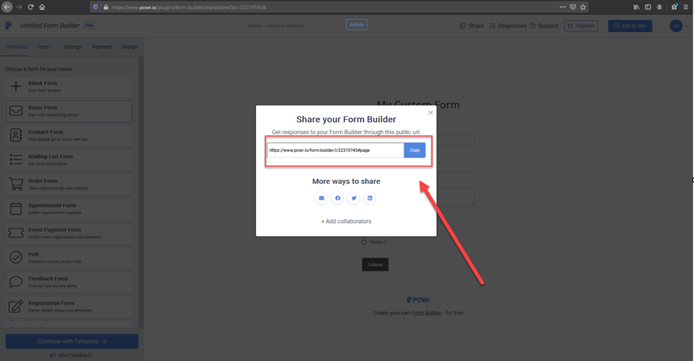
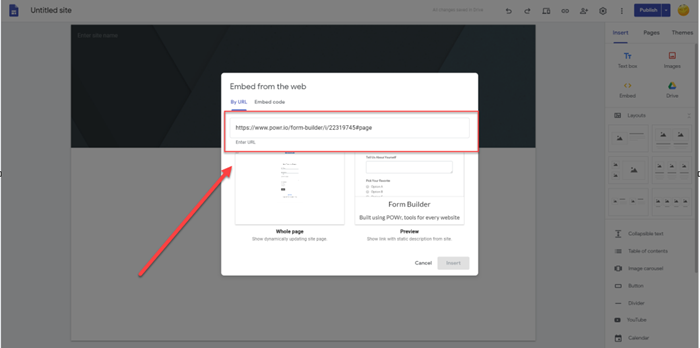
Step 2: Copy the app’s shareable link and paste it to your website.