How to turn on/off BNPL payment method in your Stripe account
If you are using Stripe as a payment operator in POWR apps you can easily turn on/off Buy Now Pay Later method in your Stripe account.
Go to your Stripe dashboard> Settings 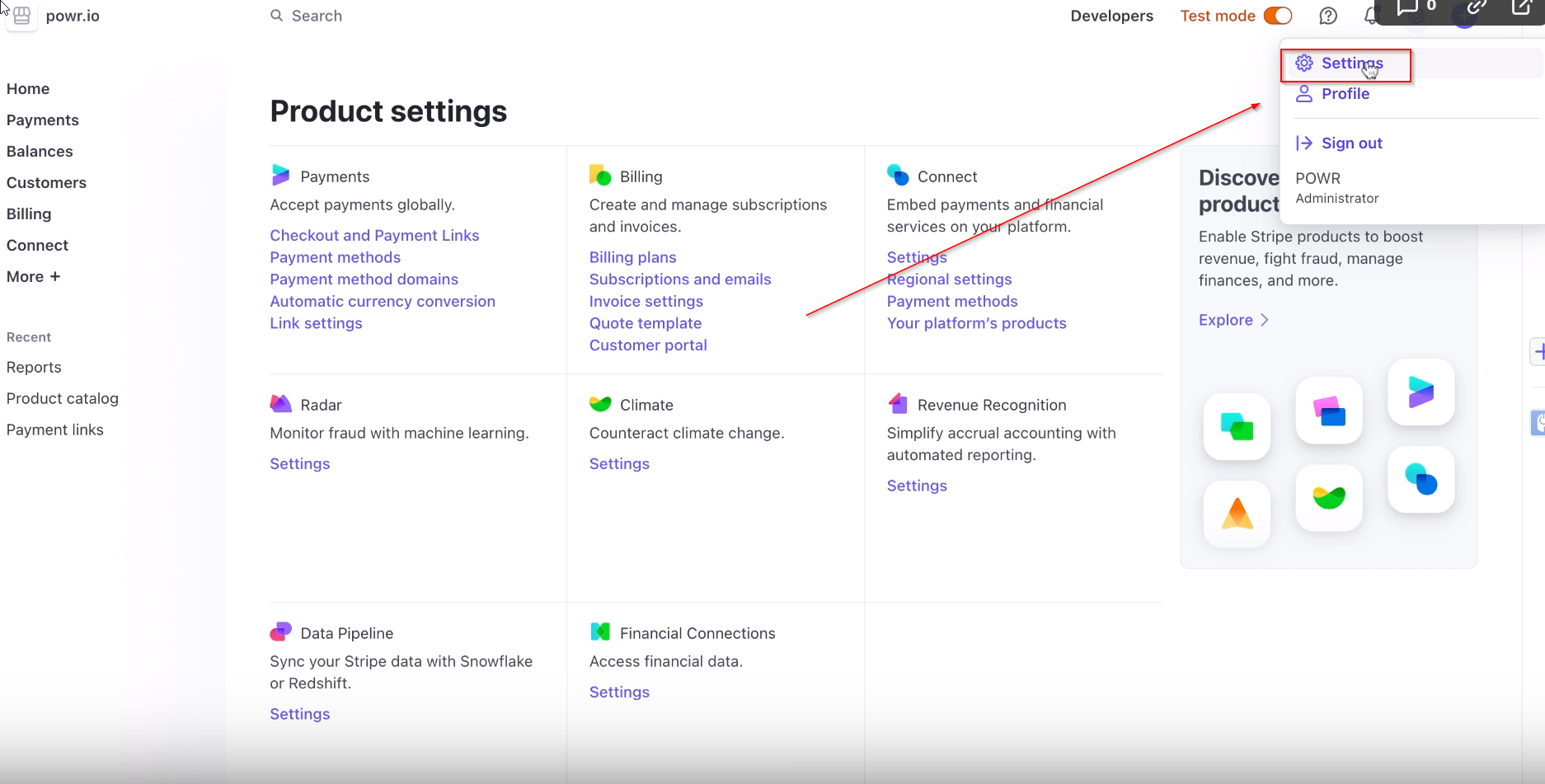
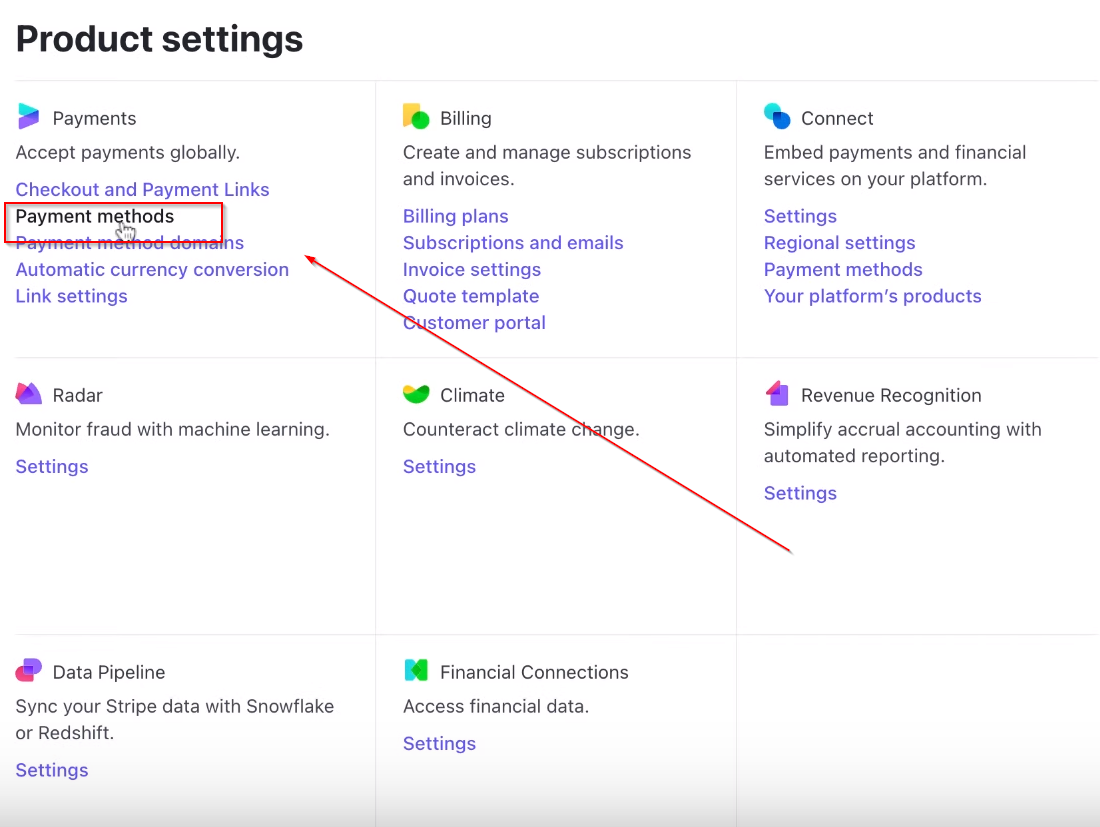
Under Payments go to > Payment Methods
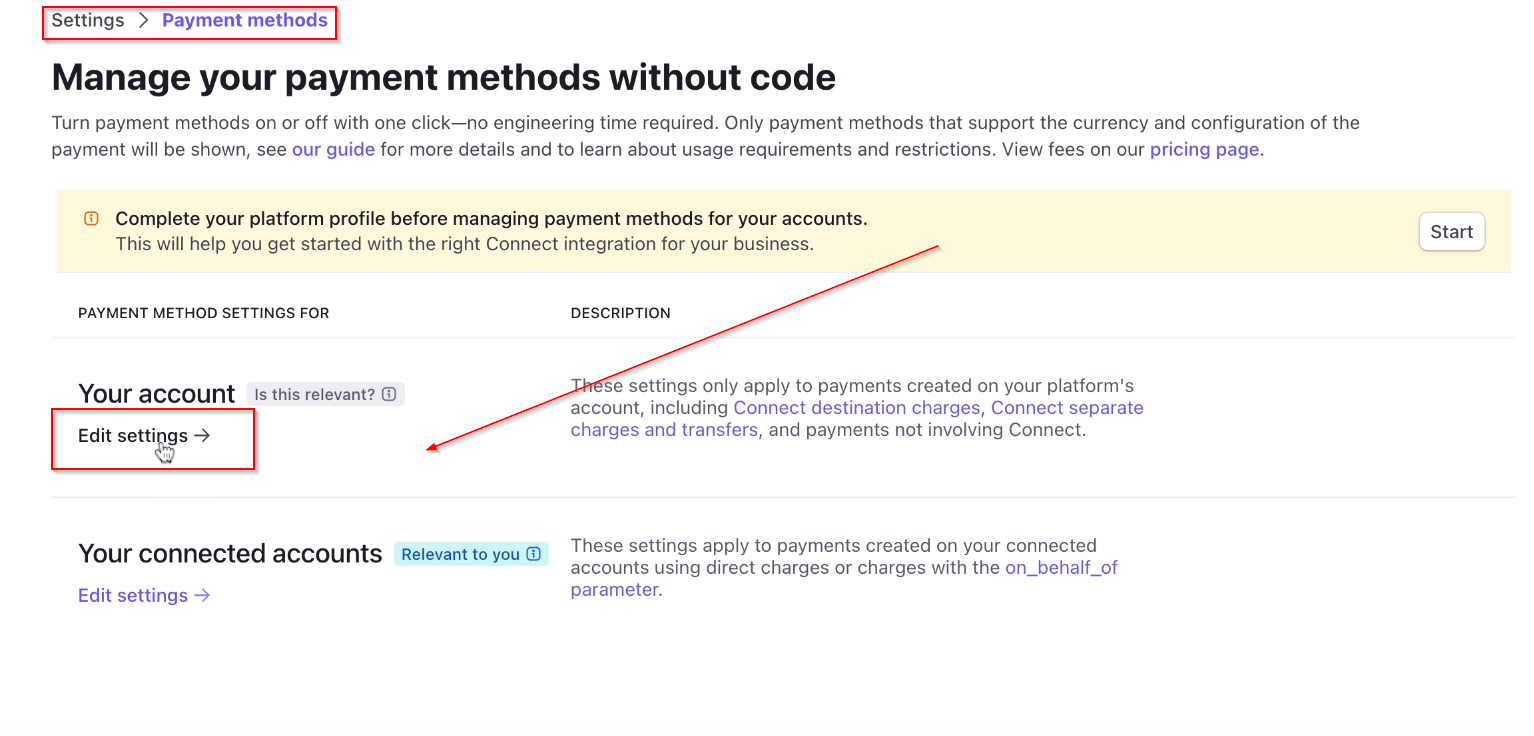
Under Your account click on Edit Settings
Scroll down to Buy Now Pay Later option and choose to turn it on or off 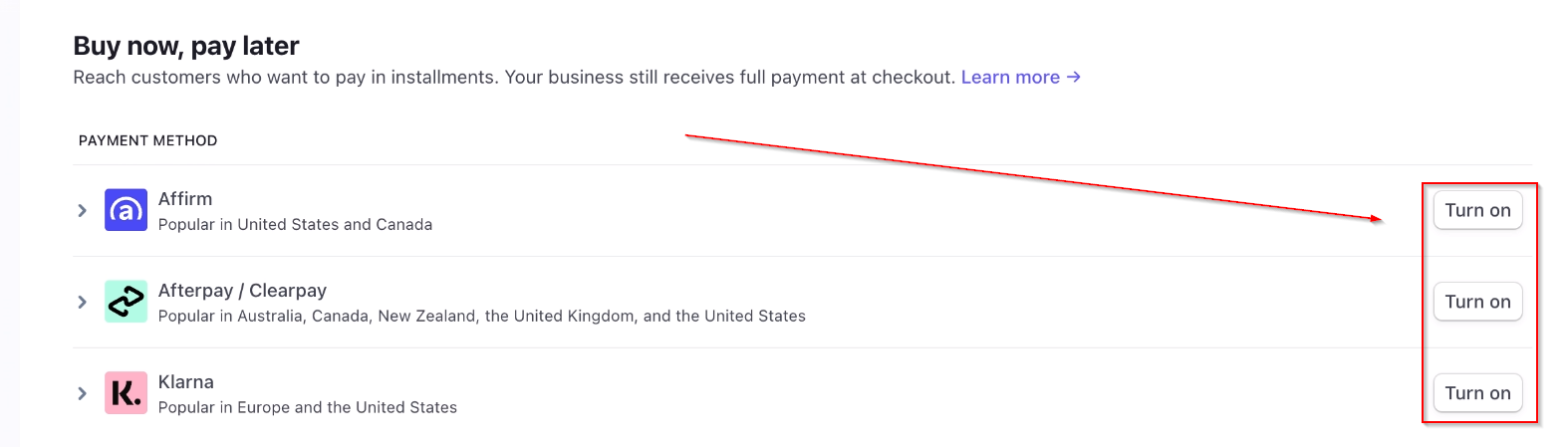
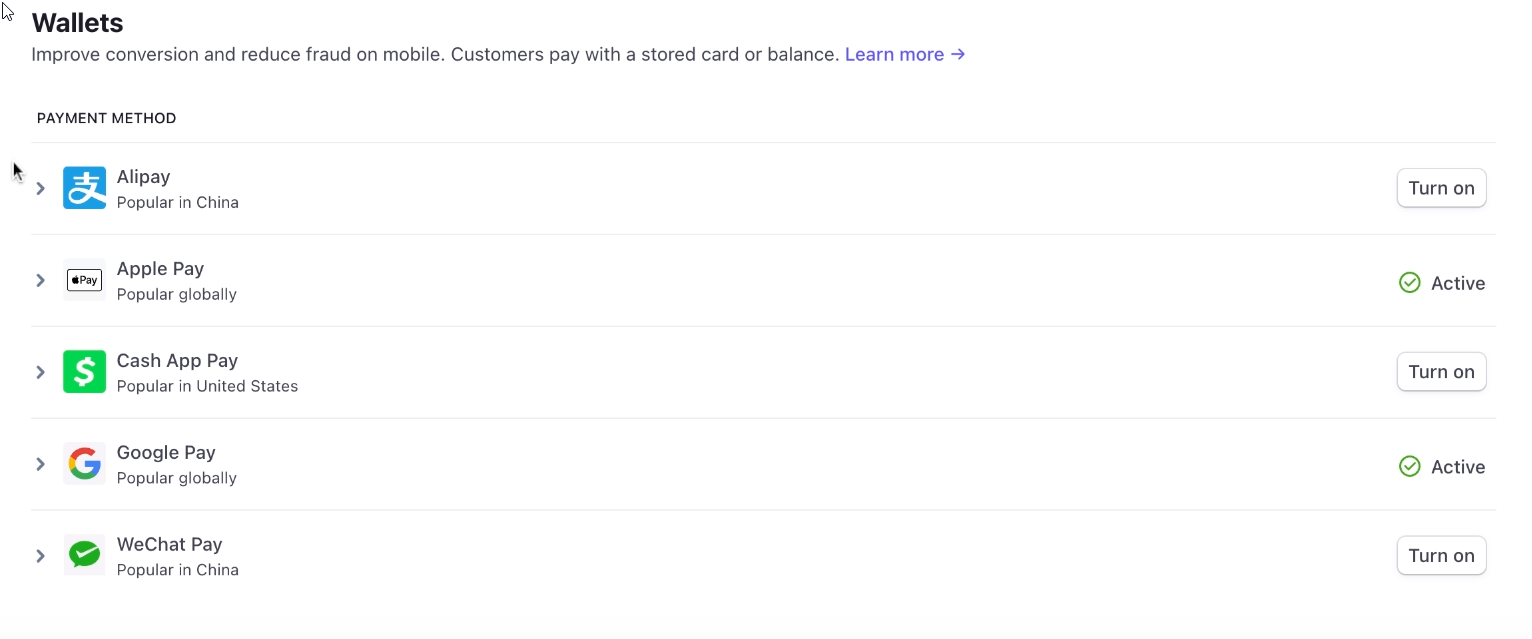
On the same menu, you can find Wallets settings as well