
How to Find and Download POWR App Invoices in Wix
Managing your billing information is crucial for maintaining a clear understanding of your expenses. If you've purchased a POWR app through the Wix App Market, you can access and download your invoices directly from your Wix account. This guide provides step-by-step instructions to help you locate your POWR app invoices within Wix.
Accessing Your Wix Billing History
Locating Invoices for POWR App Subscriptions
Downloading or Printing Your Invoice
Accessing Your Wix Billing History
To begin, you'll need to navigate to your Wix account's billing section:
Log into your Wix account: Visit www.wix.com and enter your credentials.
Access Billing History: Click on your profile picture in the top right corner and select Billing History from the dropdown menu.
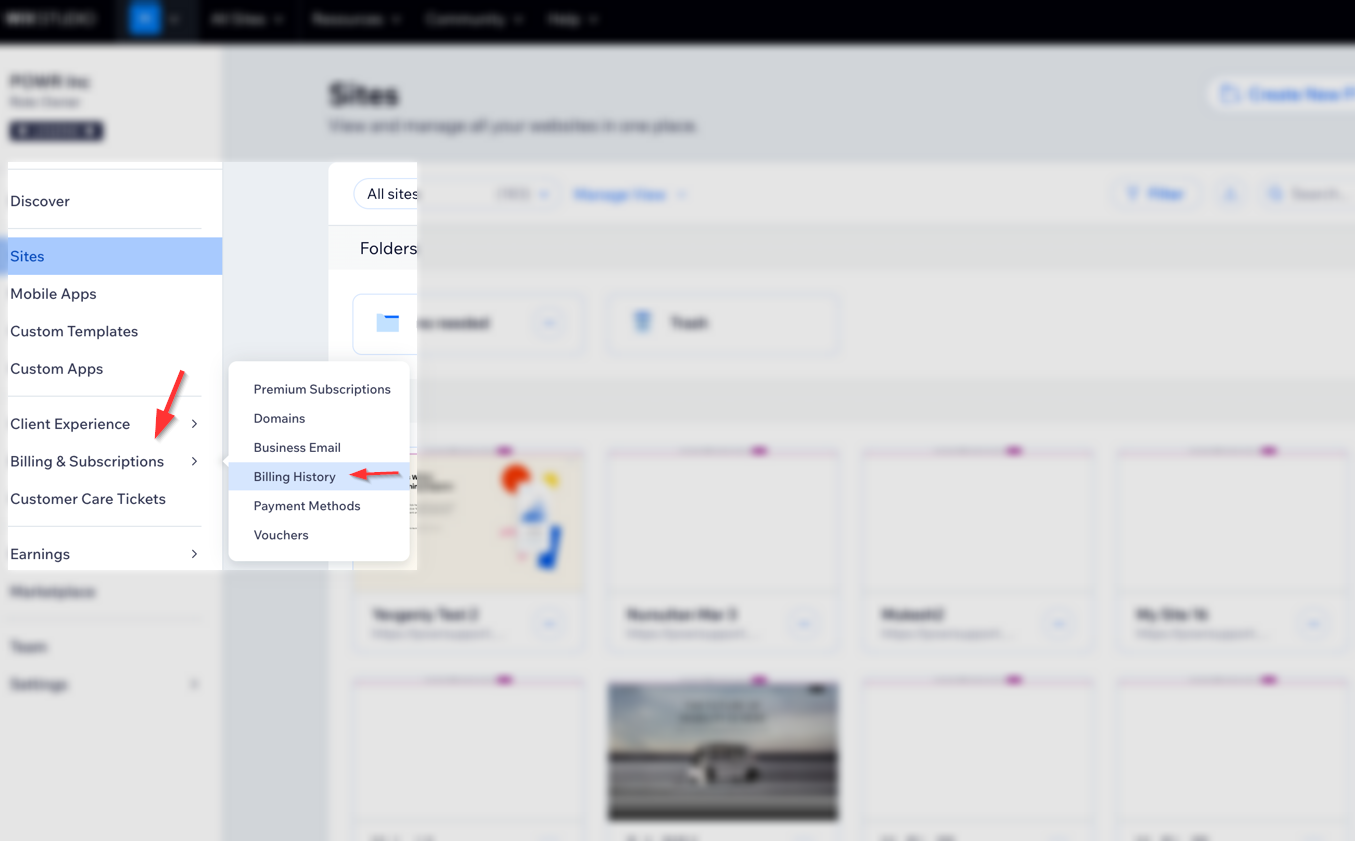
Locating Invoices for POWR App Subscriptions
Once in your Billing History, follow these steps to find invoices related to your POWR app subscriptions:
Identify the Relevant Subscription:
Look for transactions labeled with the specific POWR app name or simply "POWR."
If you purchased multiple POWR apps, make sure to select the correct one.
View Invoice Details: Next to the relevant transaction, click the More Actions icon (⋯) and select View Invoice.
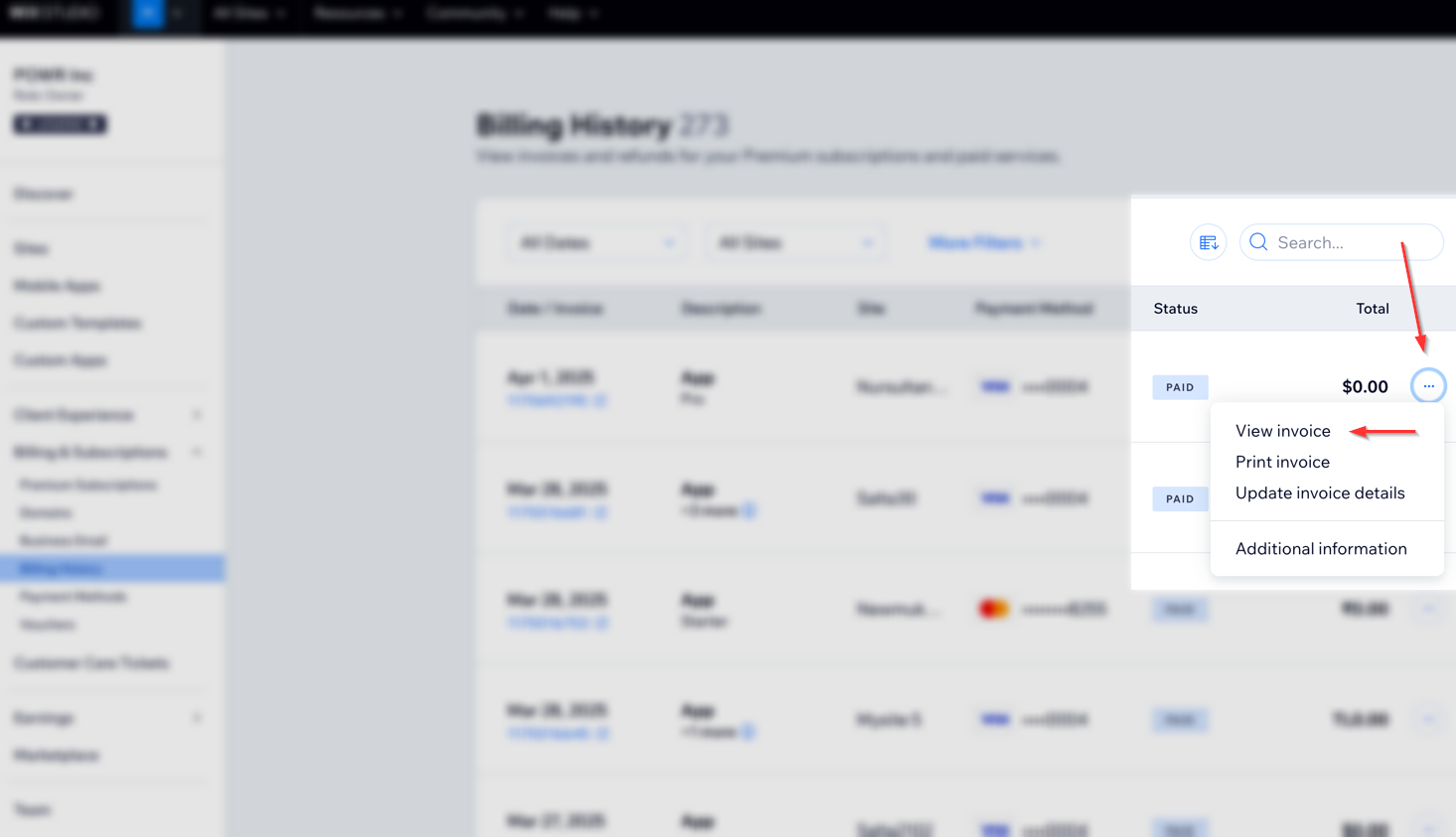
Downloading or Printing Your Invoice
After accessing the invoice details:
Download: Click the Download icon to save the invoice as a PDF to your device.
Print: Click the Print icon to print a physical copy of the invoice.
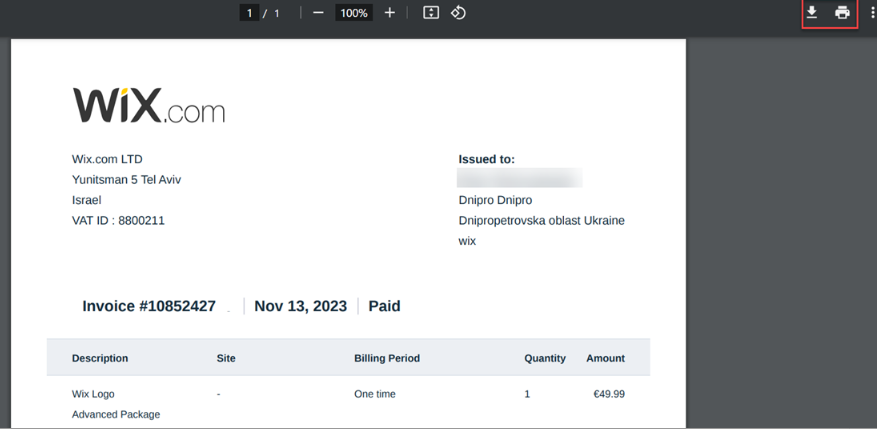
For more information on downloading invoices for Wix subscriptions and services, refer to Wix's official guide.
FAQs
Why can't I find my POWR app invoice in Wix Account?
If you're unable to locate your POWR app invoice, ensure that:
The purchase was made through the Wix App Market.
You're logged into the correct Wix account associated with the purchase.
You purchased the upgrade directly at www.powr.io . Learn more here:
Can I access invoices for POWR apps purchased directly from POWR.io?
No, invoices for purchases made directly through POWR.io are managed separately. You can download your invoices following this guide: Downloading POWR account receipts For more assistance, please contact POWR's support team.
Conclusion
Accessing and downloading invoices for your POWR app subscriptions within Wix is a straightforward process through your Wix account's Billing History. Regularly reviewing these invoices helps maintain clear financial records. For additional assistance, refer to Wix's Help Center or contact WIX support team.