How to embed videos in POWR Tabs
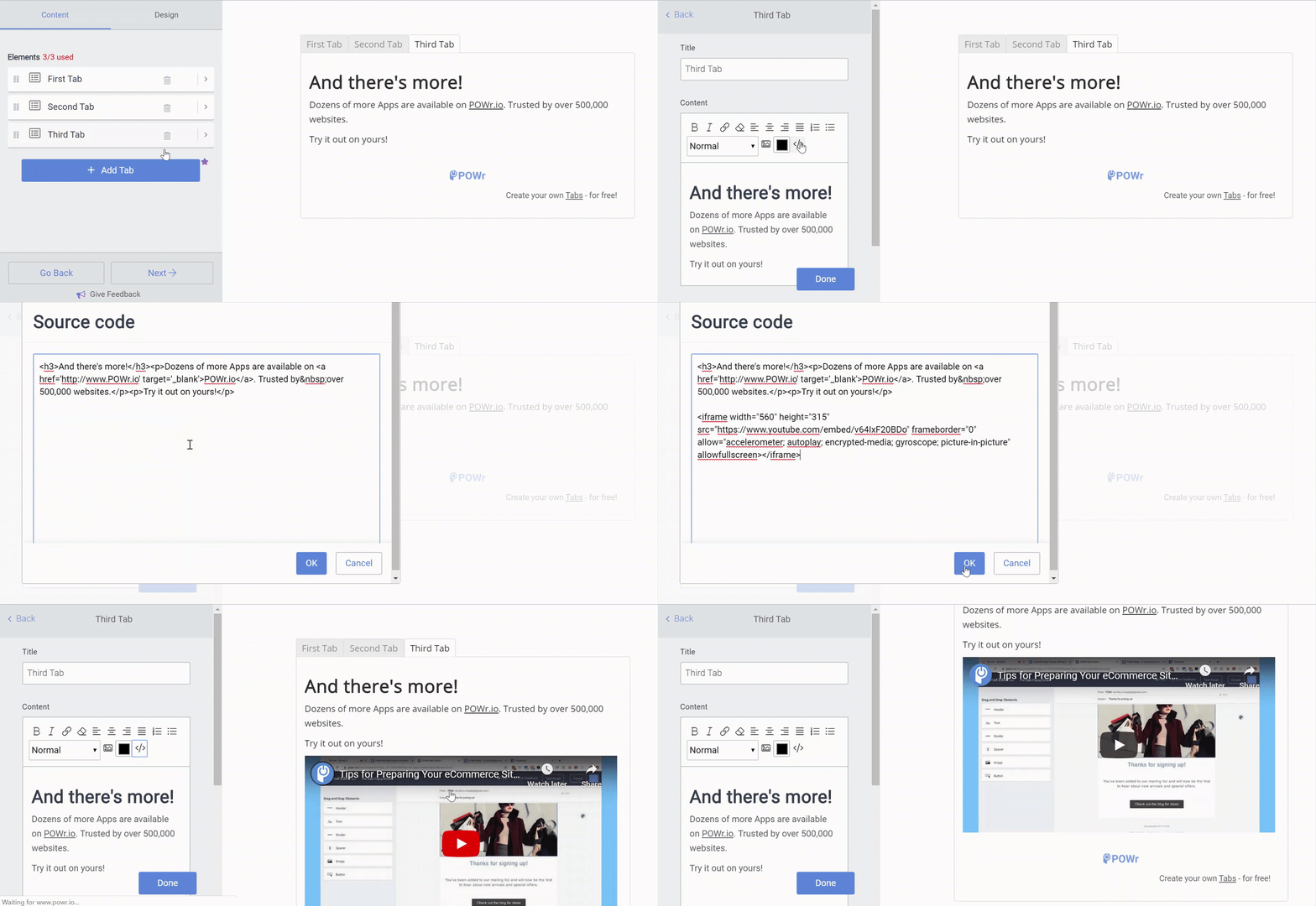
To embed videos in POWR Tabs:
- Open the POWR editor and go to the Content section
- Click open the tab you want to add a video to
- Click on the Source code <> icon
- Paste the embed code into the HTML pop-up and then click OK