
How to Disconnect Synced Mailchimp List
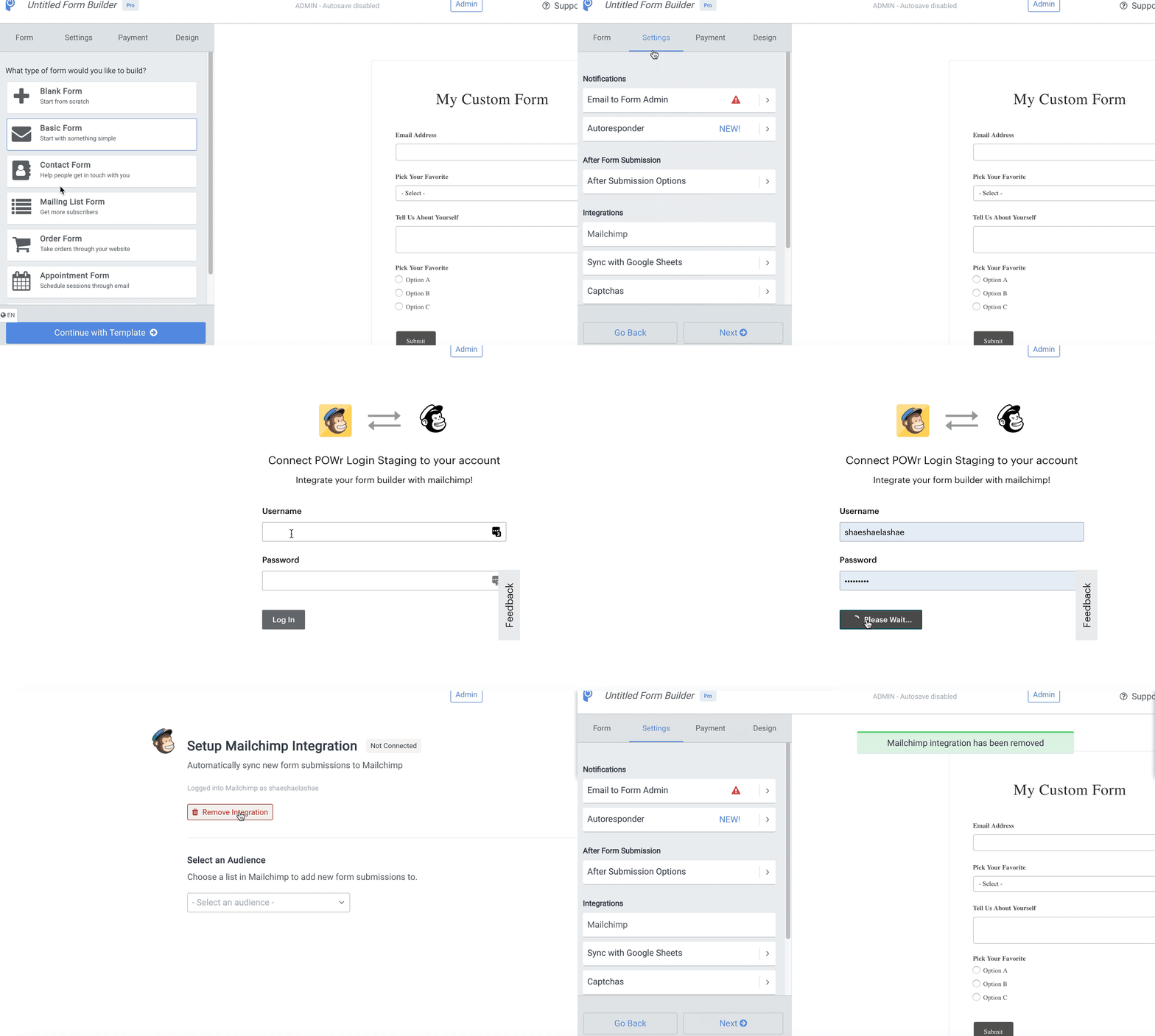
To disconnect Mailchimp from your POWR Form, follow these steps:
Step 1
Open the POWR Editor (App Settings in Wix)
In the Settings tab, go to the Integrations section and select Mailchimp
Step 2
In the top section of the integration window, select “Remove Integration”
Confirm you want to remove the integration
Your form responses will no longer be integrated with your Mailchimp audience or account
What happens to my contact list in MailChimp, if I stop using your services?
If you disconnect the Integration or/ and delete your app all contacts populated to MailChimp remain unchanged. POWR does not erase any information that is been already synched with third party services.