How to collect donations with Forms
POWR Forms are an easy way to solicit and collect donations for your nonprofit, charity, or cause. Donations work much the same way as regular payments.
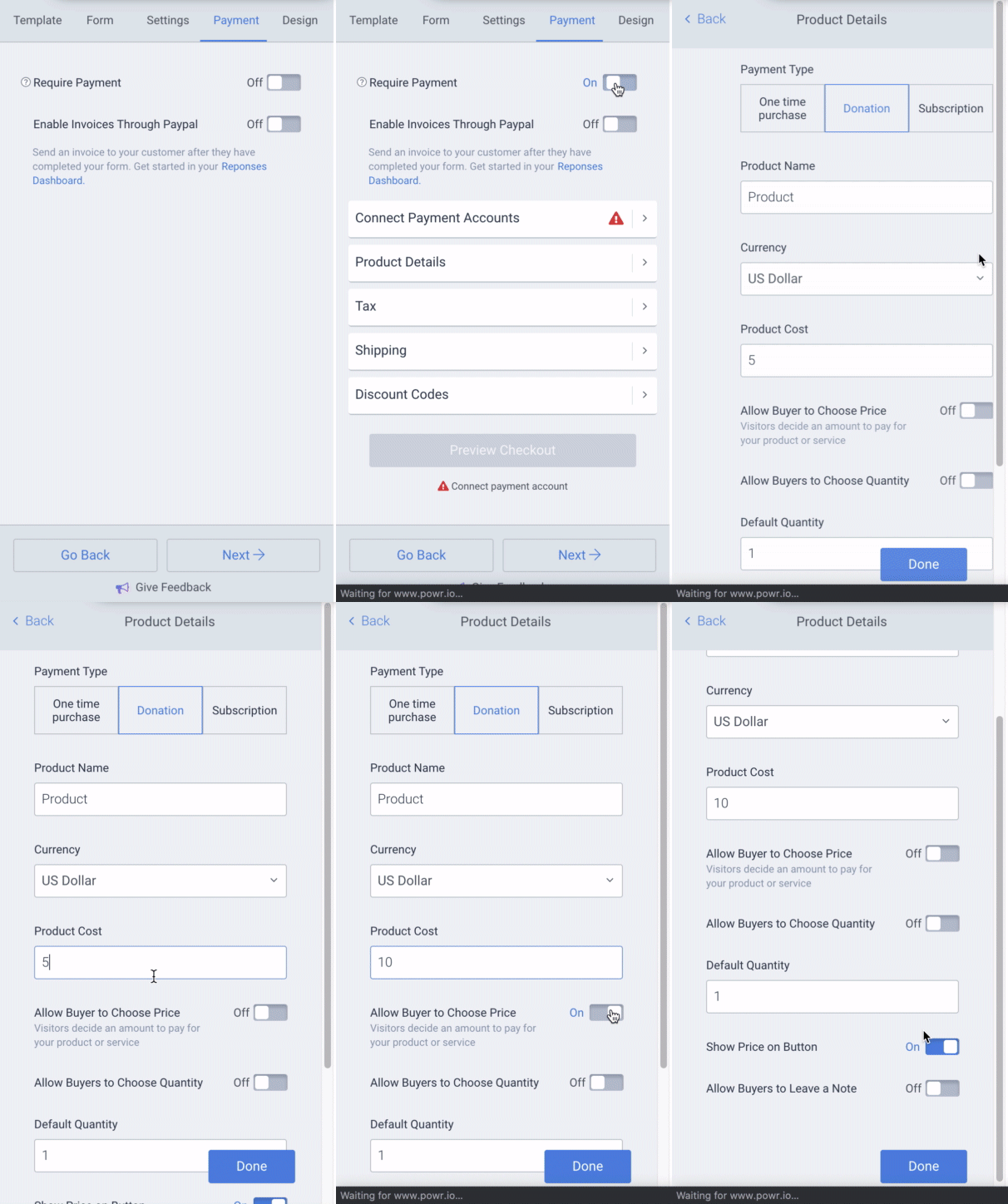
To accept donations, follow these steps:
- Open the POWR Editor (or App Settings in Wix)
- Go to the Payment section
- Toggle on Require Payment
- Enter your PayPal email address
- Choose Donation as the Payment Type
You can allow the buyer to enter their own donation amount, or set a donation amount yourself. It is also recommended that you add a Product Name so the buyer sees details about the purchase in their confirmation email.