How to Approve or Hide Posts on Social Feed Apps
Walkthrough
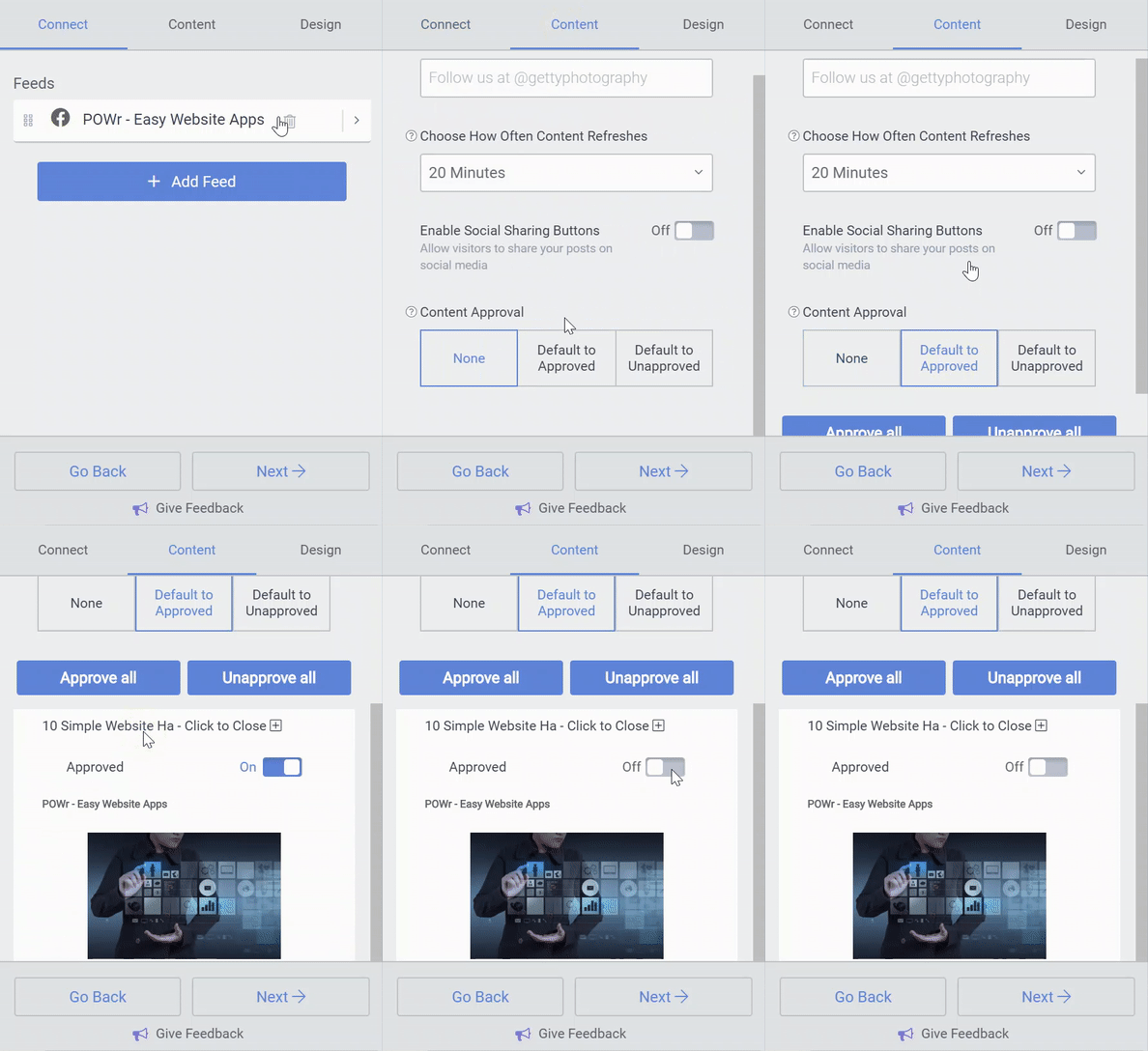
- Open the POWR Editor (or App Settings in Wix).
- Go to the Content section
- Under Content Approval you can choose to:
- None - all posts will always be displayed.
- Default to Approved - all new posts will be displayed, but you can manually remove specific posts.
- Default to Unapproved - all new posts will be hidden, but you can manually approve specific posts.
- To Approve or Hide a specific post, open the post menu and use the On/Off toggle.