
How to add POWR embed code to Weebly page.
POWR editor:
After you have finished customizing your app, click on Publish > choose Weebly from the platform list and copy code:
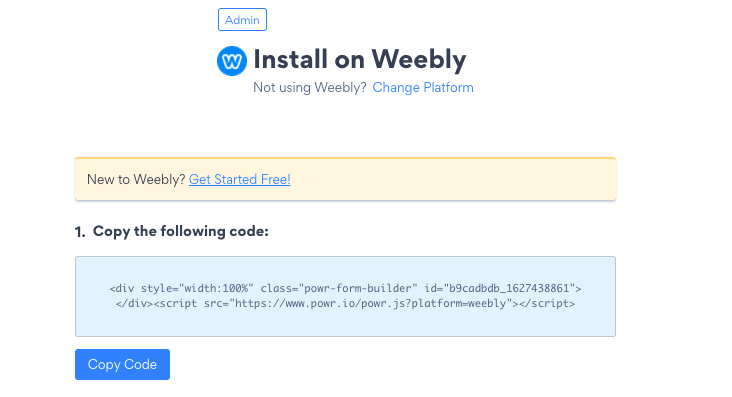
Weebly editor:
- Log in to Weebly, then click Edit website.
- Click Pages at the top, then select the screen where you'd like to add the app.
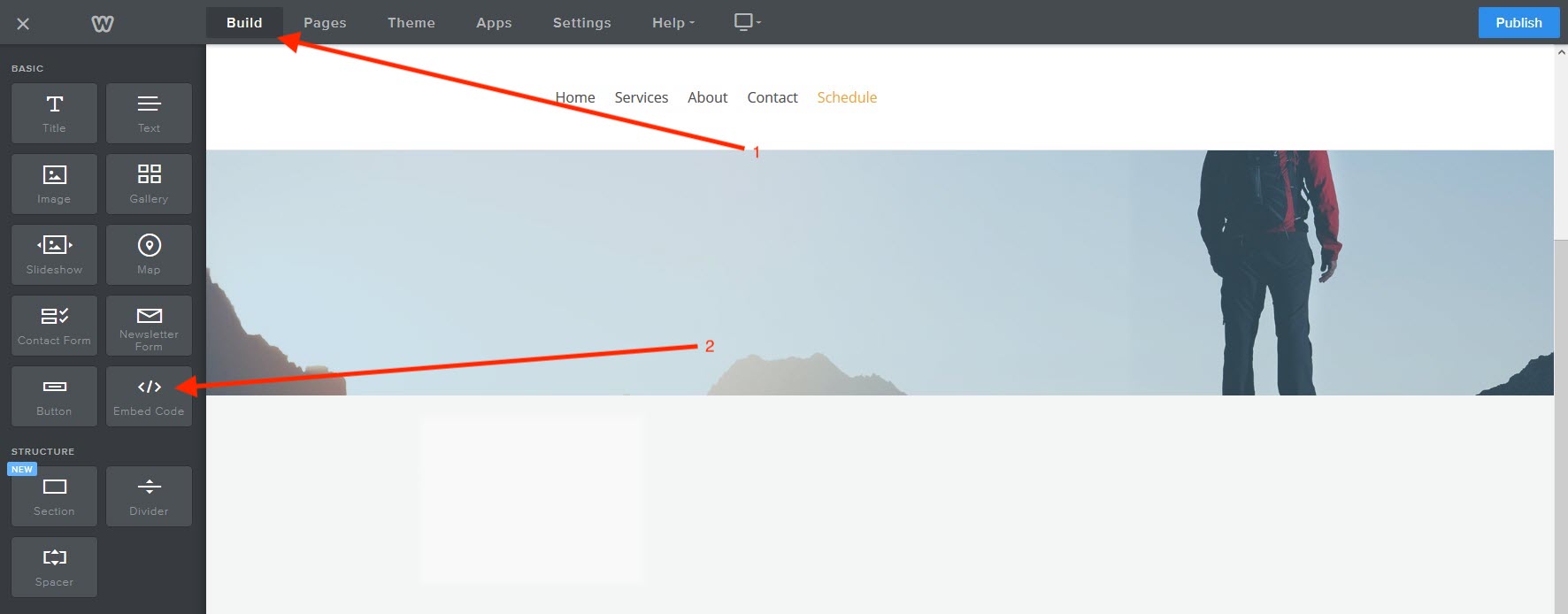
- Click Build at the top.
- Under the "Basic" section, click on Embed Code, then drag and drop the code box to a place on your page.
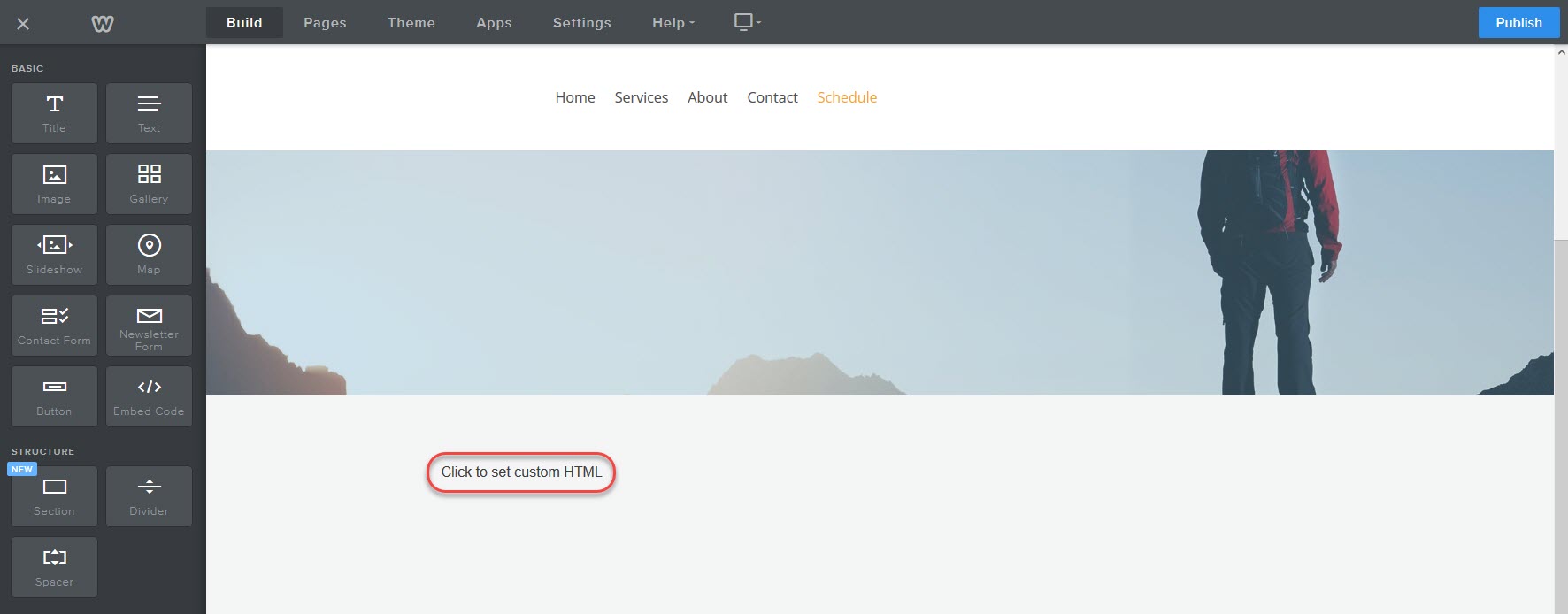
- Click inside the Click to set custom HTML box to open the Custom HTML editor.
- Click Edit Custom HTML and paste the code from your POWR editor into the box.
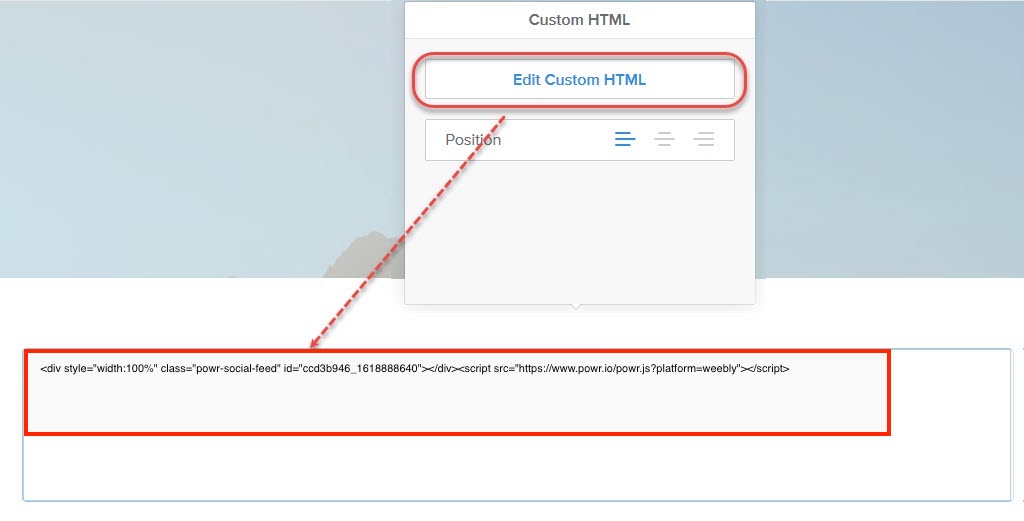
- Click outside of the code box to save your changes. Note: It might take a few moments for the app preview to display.
- Make any necessary changes the app position on the page, then click Publish to save these changes.