How to add direct checkout links to POWR Price Table for Shopify
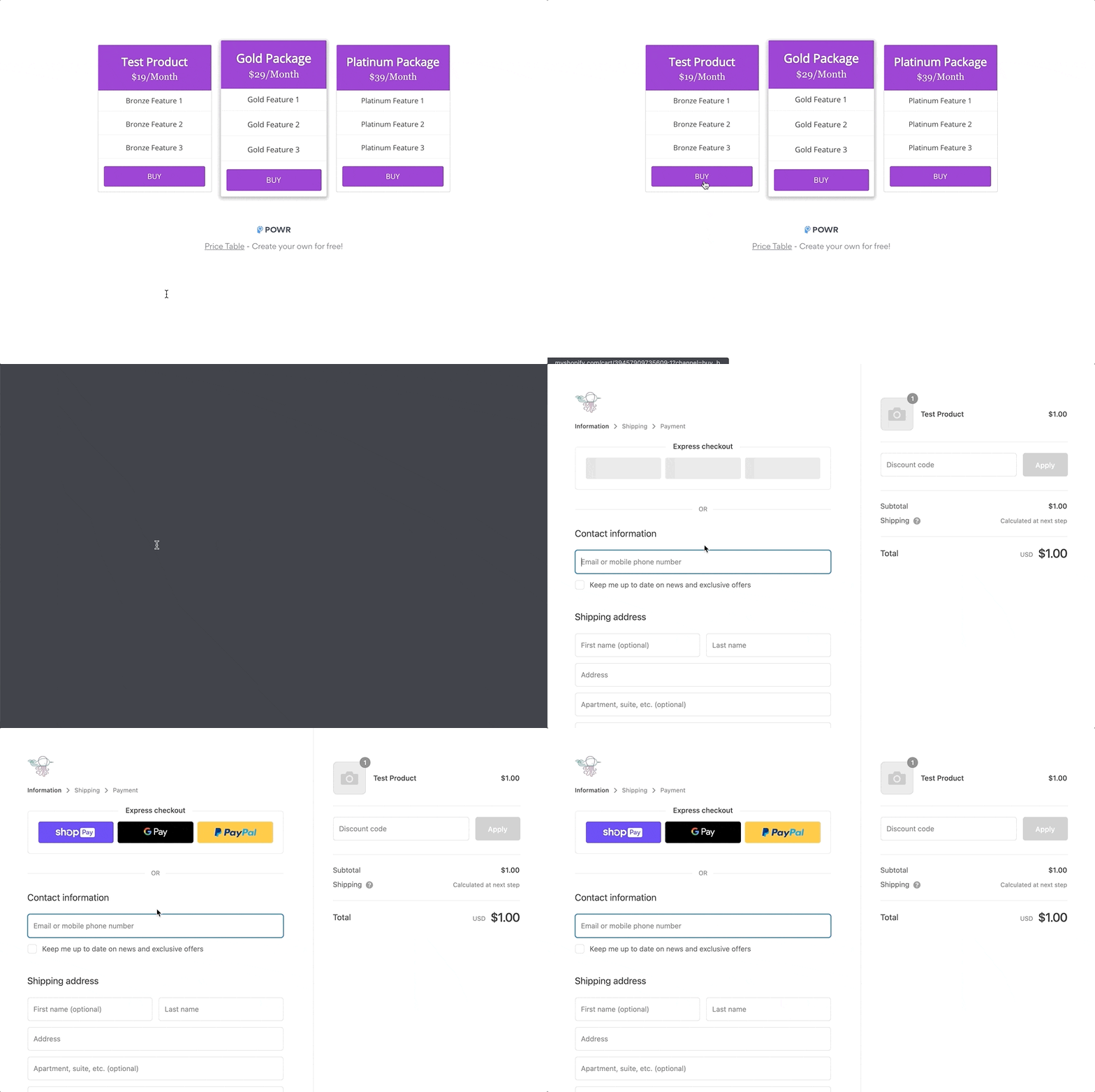
For Shopify, have the plan selection buttons immediately open the checkout for a specific product.
This can be done by following Shopify's instructions here to obtain a checkout link, and then pasting that link into the Button Link on your Price Table.
Shopify's instructions can be found here: https://help.shopify.com/en/manual/products/details/checkout-link
Follow the three steps below:
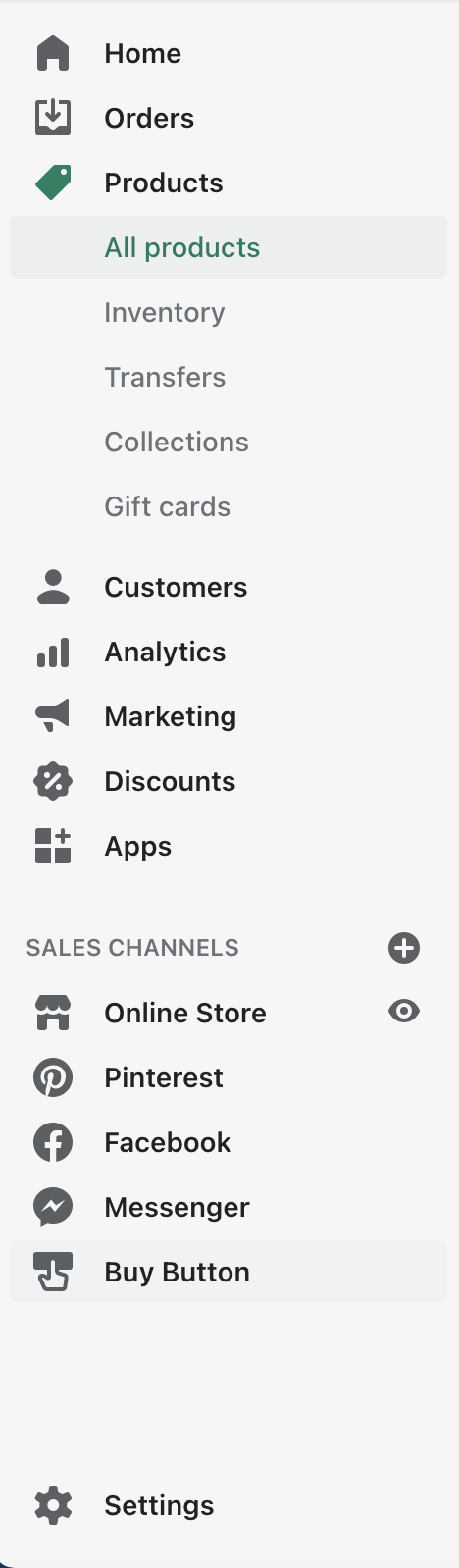
- Enable Buy Button Sales Channel
- Copy checkout link from product detail page
- Paste checkout link into POWR Price Table
1. First enable Shopify's Buy Button Sales Channel. Instructions can be found here: https://help.shopify.com/en/manual/products/details/checkout-link
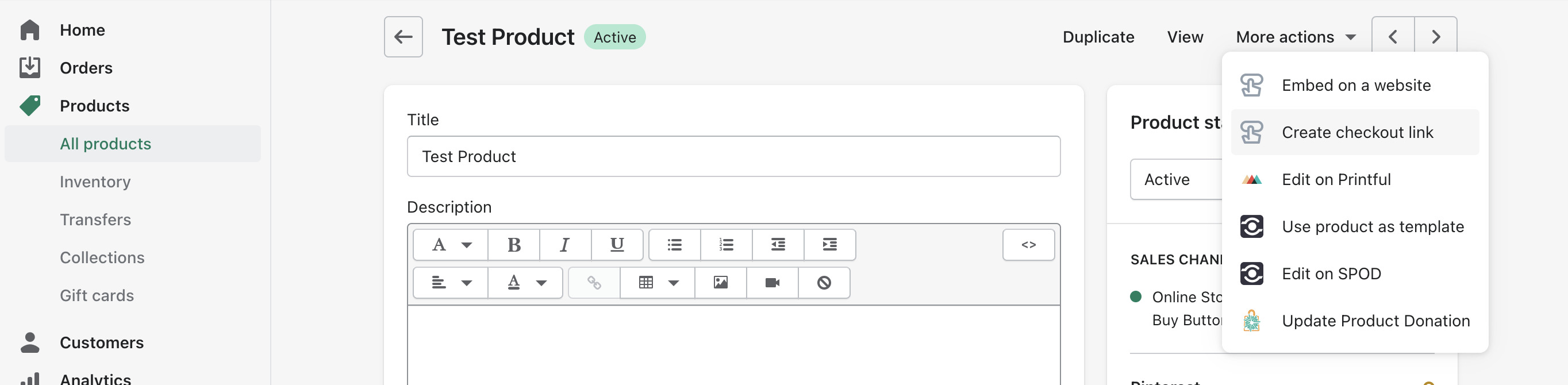
2. Copy the checkout link from an active product's detail page under the "More actions" menu
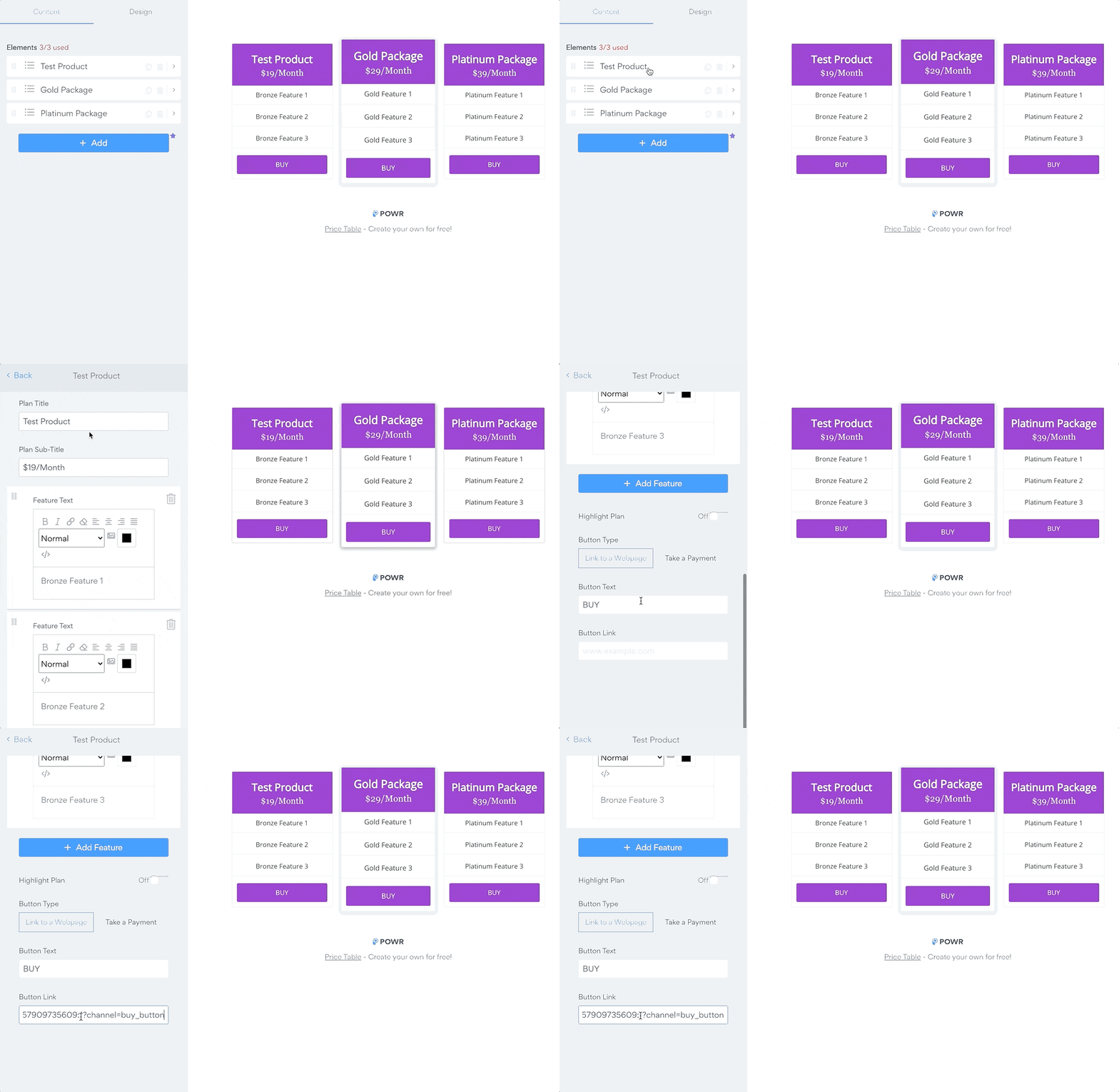
3. Paste the checkout link into the button link for the desired element in your price table
✅ Now when users select the plan, they will immediately see the checkout for your store's matching product