
How to change Text Size, Color, or Font in Forms
The way your form looks is just as important as how it functions. Typography plays a huge role in the overall feel of your form — the right text size, color and font can make it easier to read, more visually appealing and better aligned with your brand identity. POWR Form Builder gives you full control over the typography of your form, allowing you to customize text size, color and font without any design experience or coding knowledge required. In this article we’ll walk you through exactly how to make these changes so your form looks and feels exactly the way you want it to.
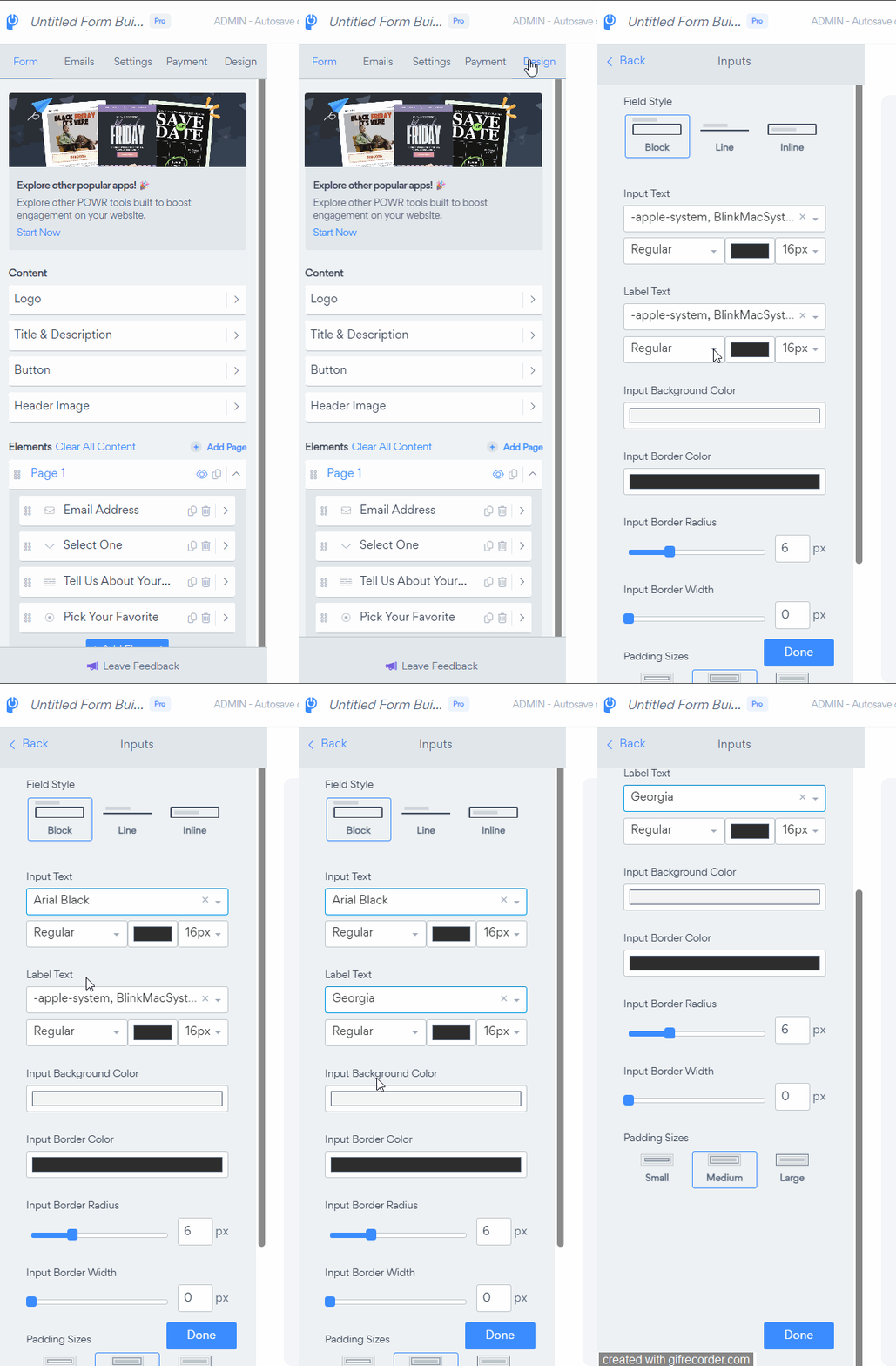
You can choose a font along with its size and color in the Design section of the POWR Editor.
Go to the Design section in the POWR Editor
Open the Inputs section.
Choose the Font, Color, and Size for the text that shows on your form.
An integration with Google Fonts lets you use any of Google's 800 web fonts. To use a Google Font, type the name of the Google Font into the font selector. The selector is case sensitive, so make sure to type the font name exactly as it appears on Google Fonts.
More info here: Using Google Fonts in POWr Apps
Customizing the text size, color and font of your POWR form is a quick and easy way to make it feel more on-brand and visually polished. Even small typography changes can make a big difference in how professional your form looks and how comfortable visitors feel filling it out. If you need any help with the customization options or have any questions along the way, our support team is always happy to assist — just reach out and we’ll be glad to help!
Need Help?
If you need any help or have any questions about our Form Builder, our support team is happy to help.
👉 Contact our support team
When contacting us, you'll be prompted to authenticate your email by signing in, and a confirmation code will be emailed to you. This helps ensure our support team's reply will be delivered to you with no issues.
For more information about available features, visit our Pricing Page:
https://www.powr.io/pricing