
Can I use Multi-Steps / Pages in my Poll/Survey?
POWR Polls now supports forms with multiple pages,
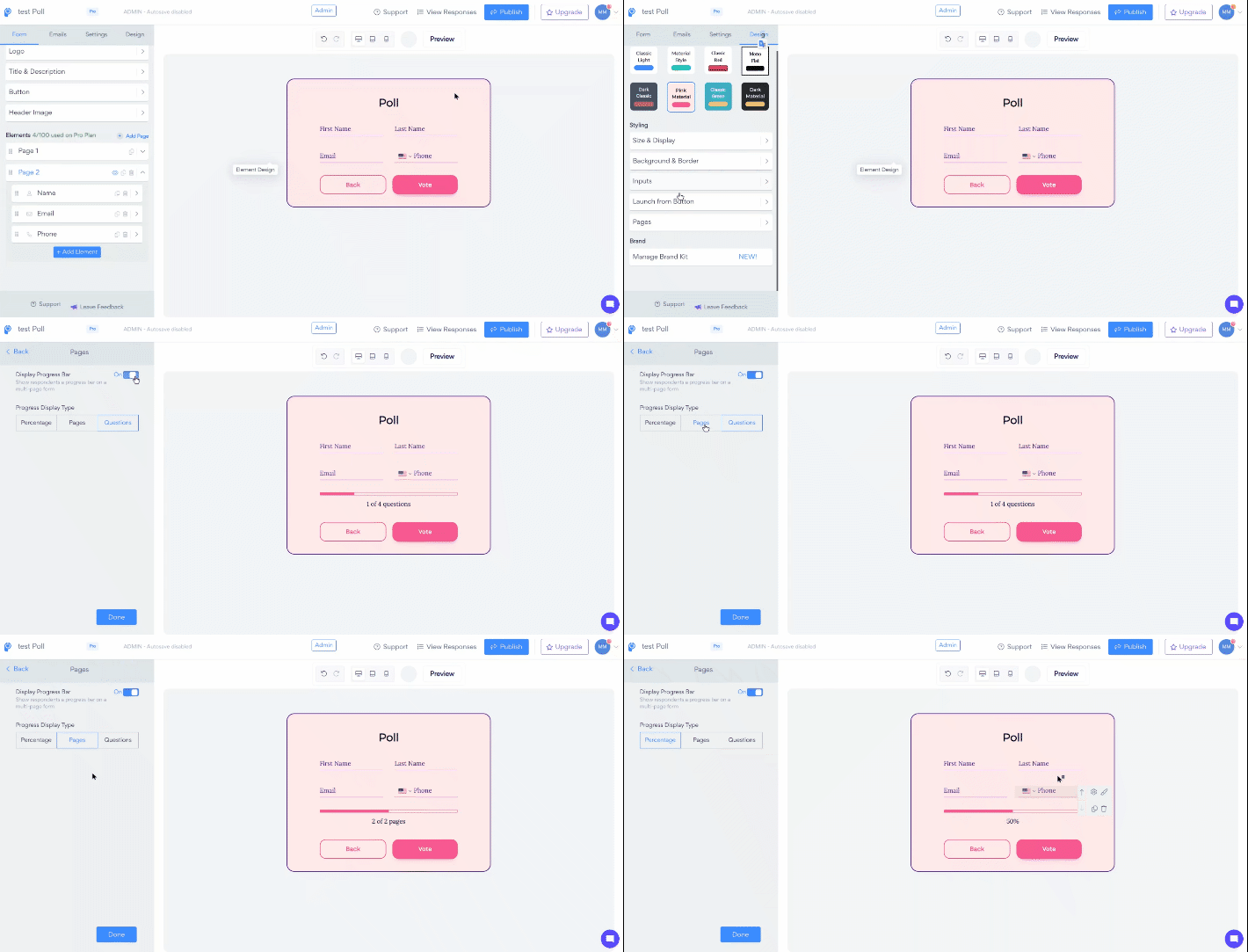
The Page element enables your site visitors to fill out your form through multiple pages, and a visitor can always go back to the beginning and edit their answers before submitting.
This assists you in streamlining your form's look and design.
To enable and create pages, follow these steps:
Open your Editor.
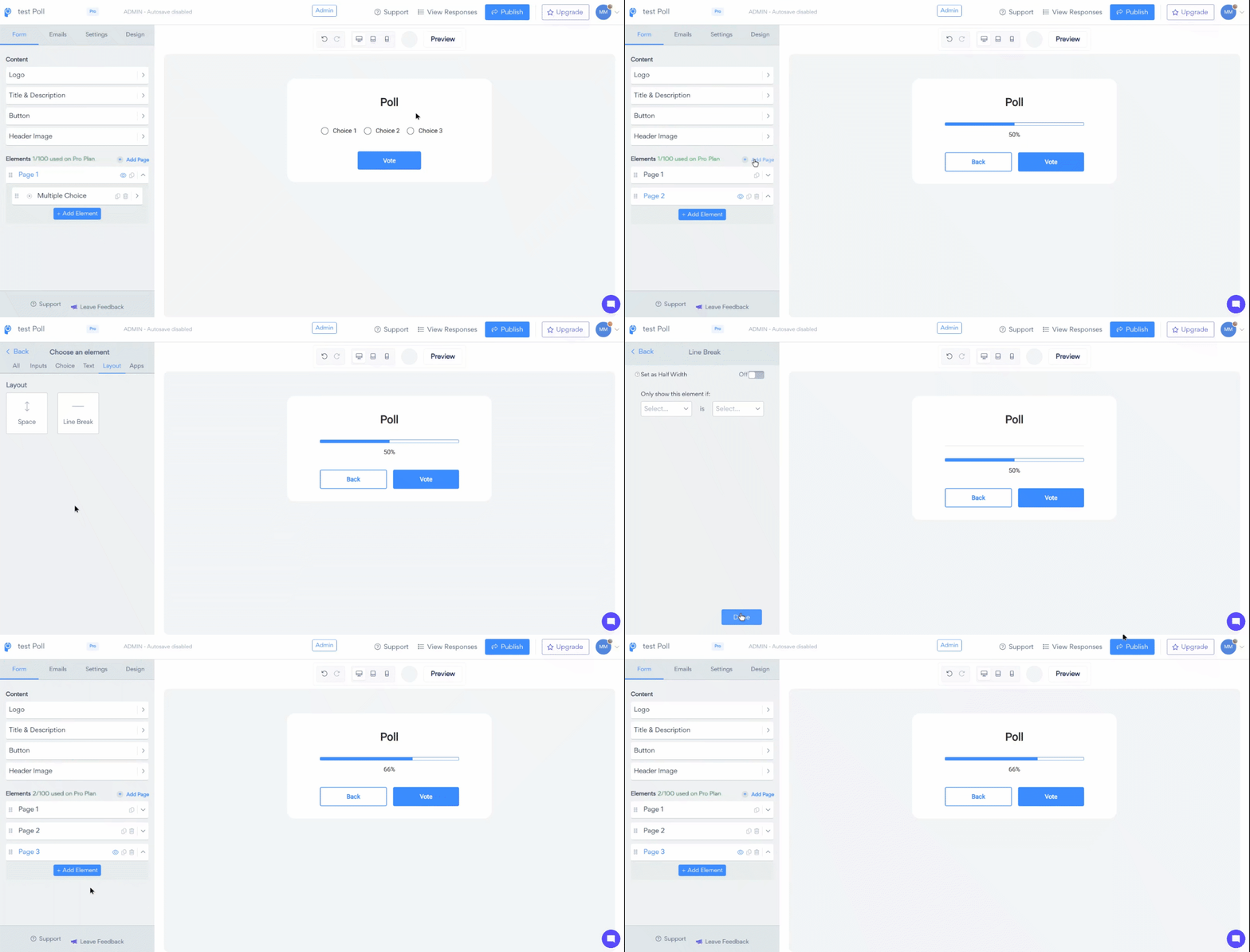
Click on the Form section, then click +Add Page
A new page will automatically be added at the bottom (but you can always drag it to a different position if you do not want it at the bottom)
Click the Page you want to modify, then add or remove your desired elements
Repeat for every page you'd like to add.
Or watch this POWR Hack tutorial to find out more!
Note: Multi-Pages is an upgraded feature.
Need Help?
If you need any help or have any questions, our support team is happy to help.
👉 Contact our support team
When contacting us, you'll be prompted to authenticate your email by signing in, and a confirmation code will be emailed to you. This helps ensure our support team's reply will be delivered to you with no issues.
For more information about available features, visit our Pricing Page.