Form/Popup Notion Integration
We launched a Notion integration with our Popup and Form Builder and now you would be able to transfer all Form and Popup data to any Notion table. Please check the guide below on how to do this.
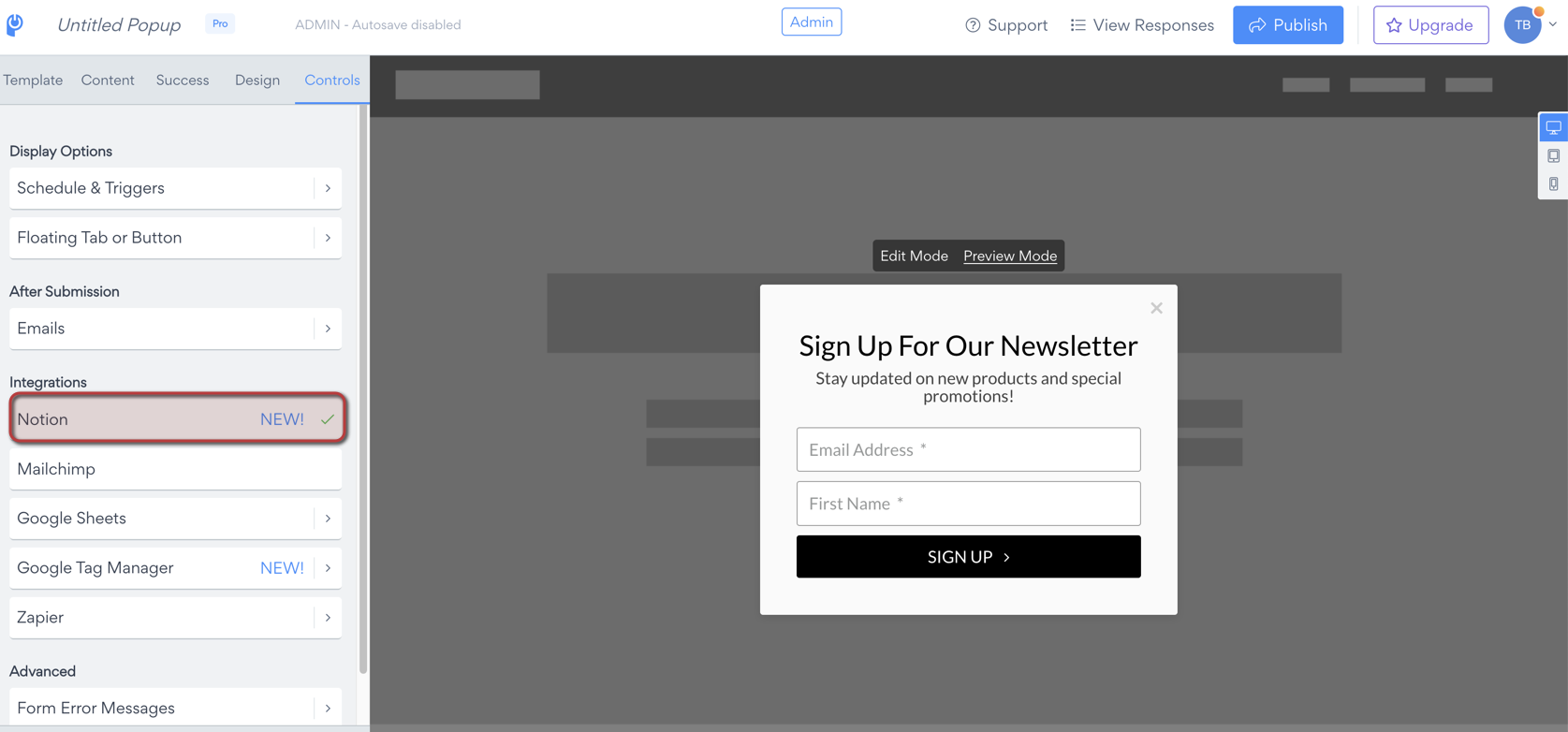
Go to your app settings> Controls> Notion.
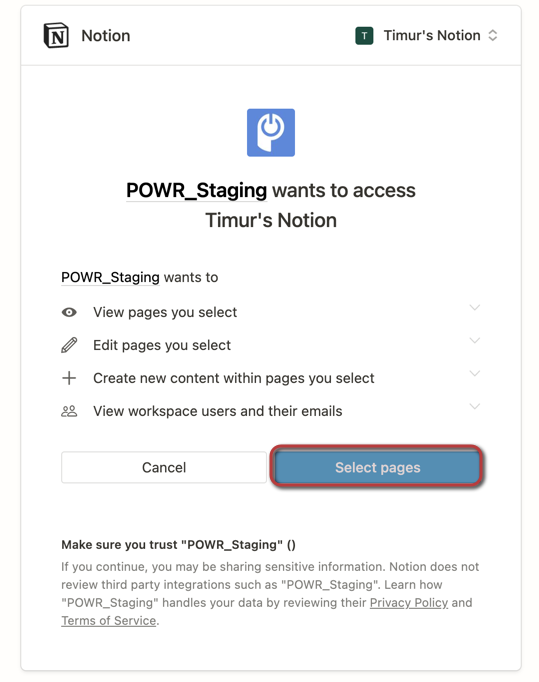
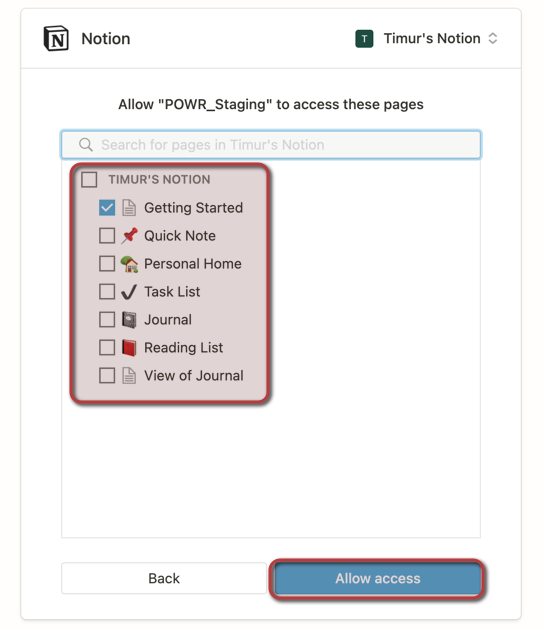
System will ask you to login in your Notion account and select pages on where you are planning to give access for integration.
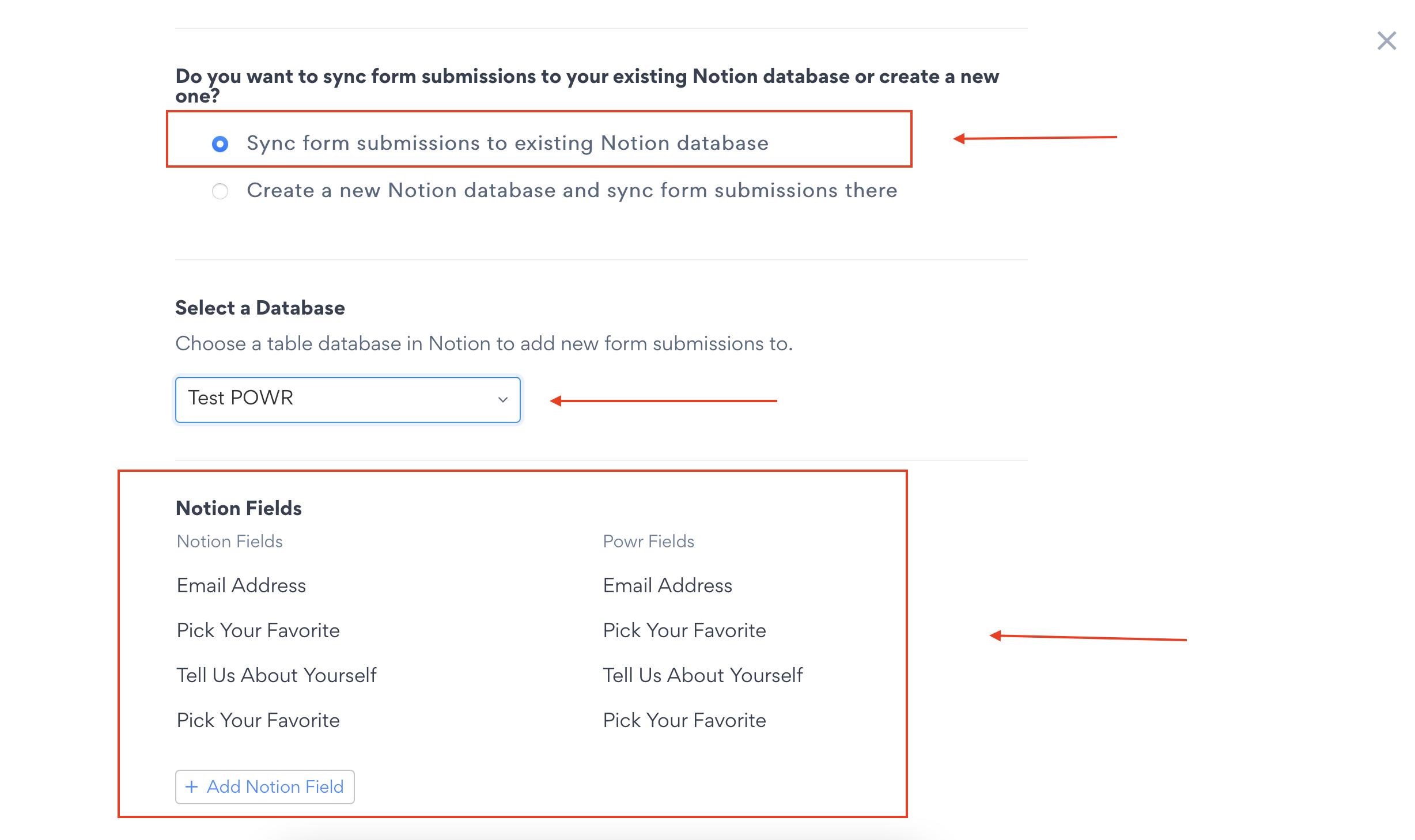
System will ask you if you would like to create a new database or integrate with existing one.
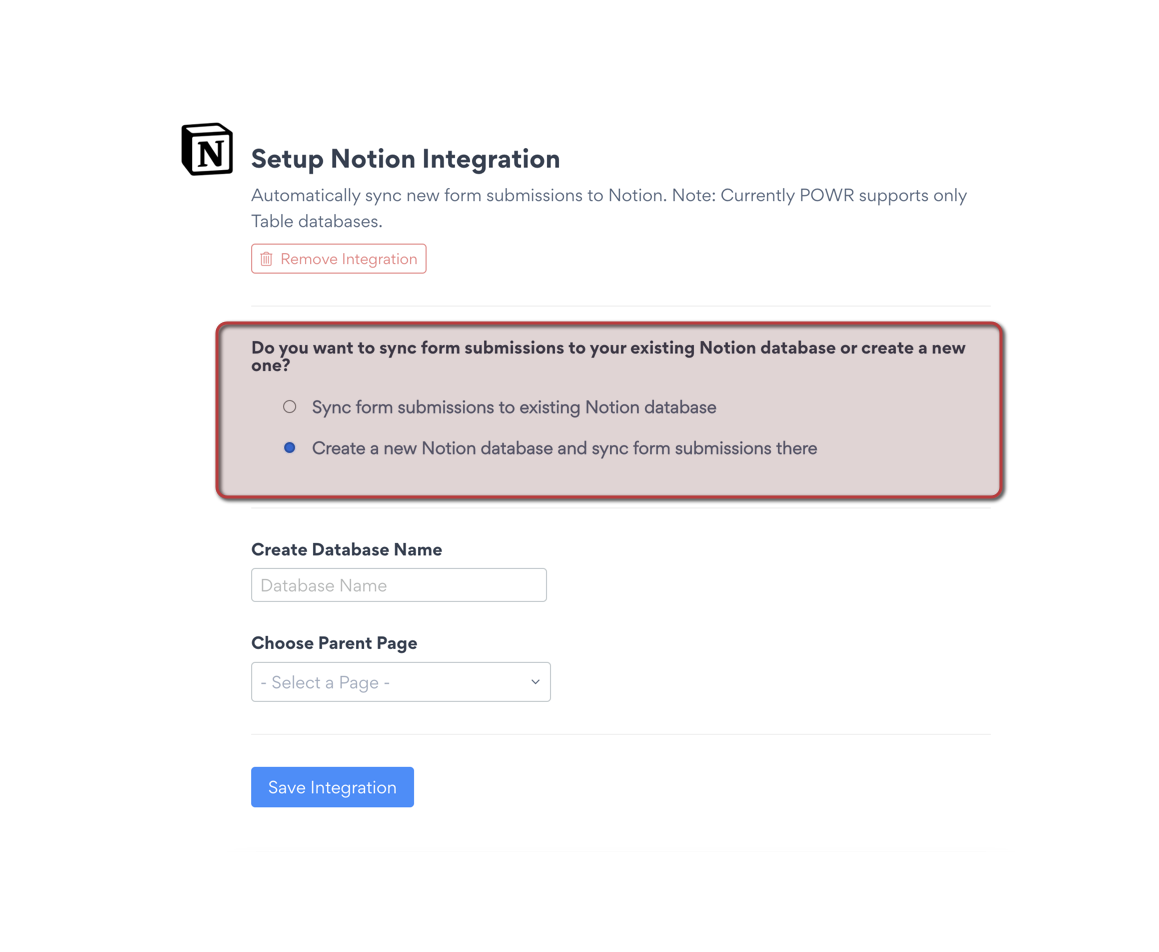
**⚠️ Please be advised that POWR <> Notion integration is available only for Table Database, so it should exist or created on the page where you are giving the access
**After that, please choose fields from Notion table and POWR Popup/Form
In my case these are email address Fields.
In your POWR APP Email Address Field should be required
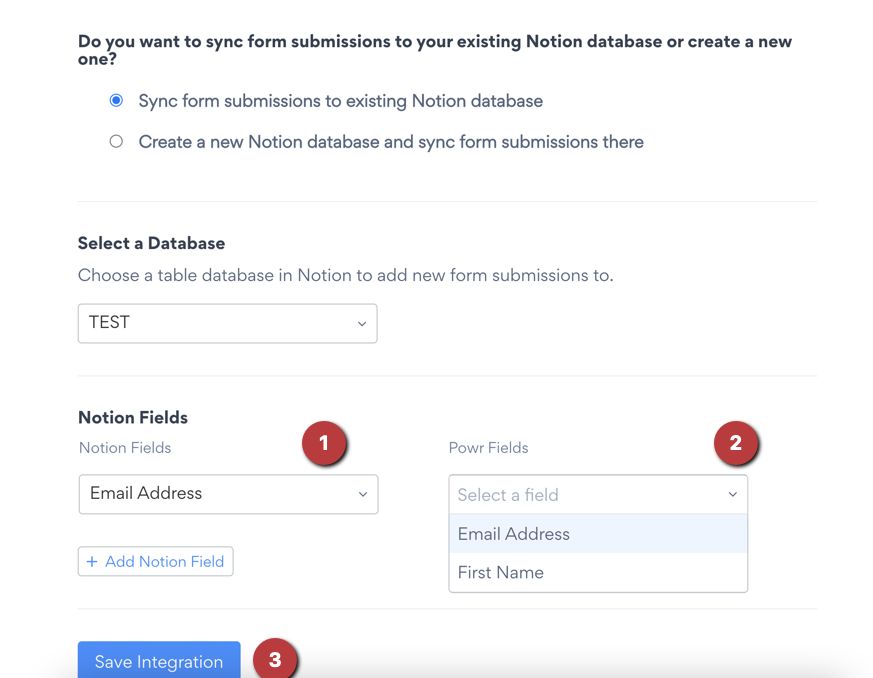
Click on save integration.
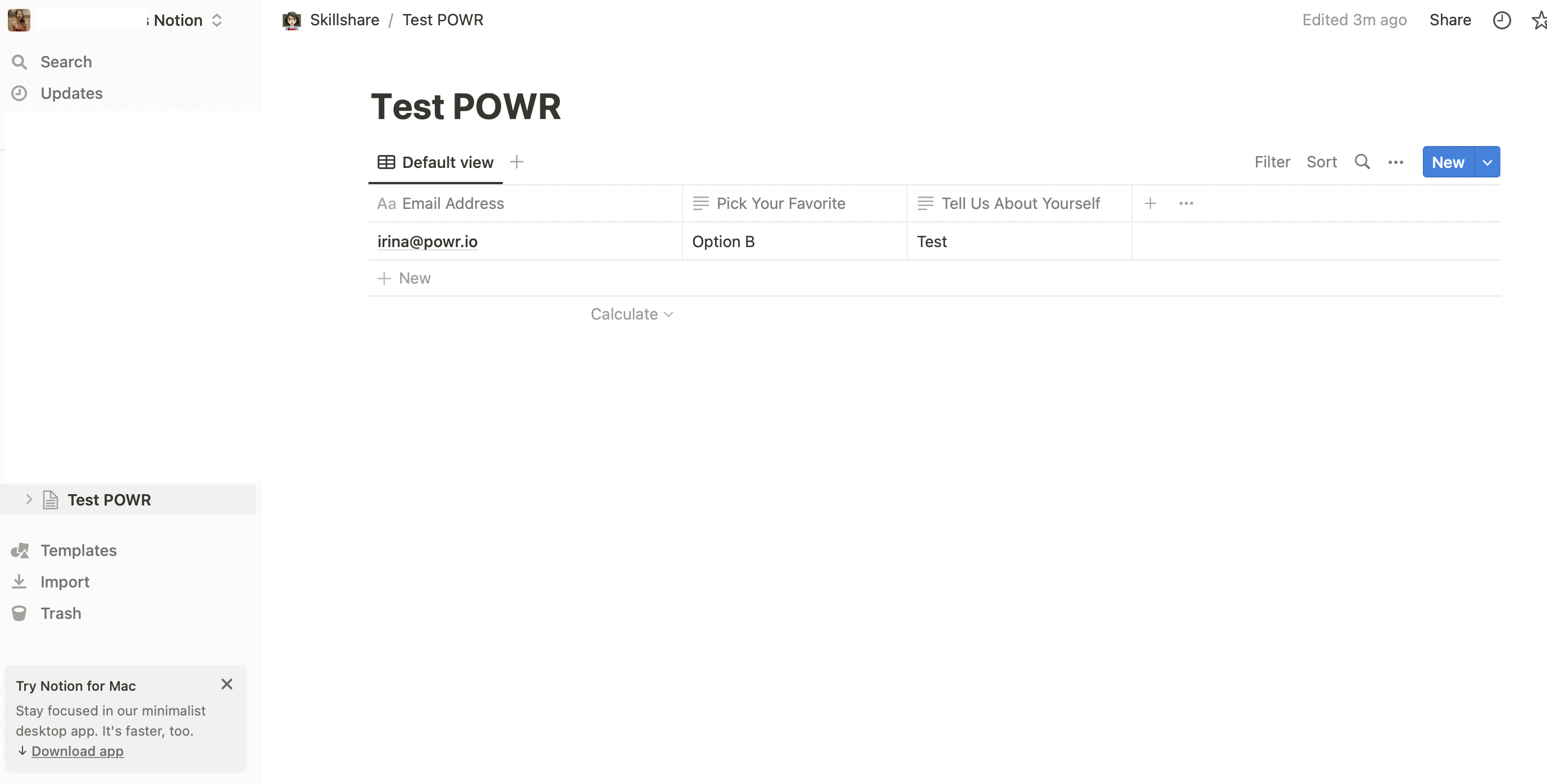
Submission information will appear in your notion table.
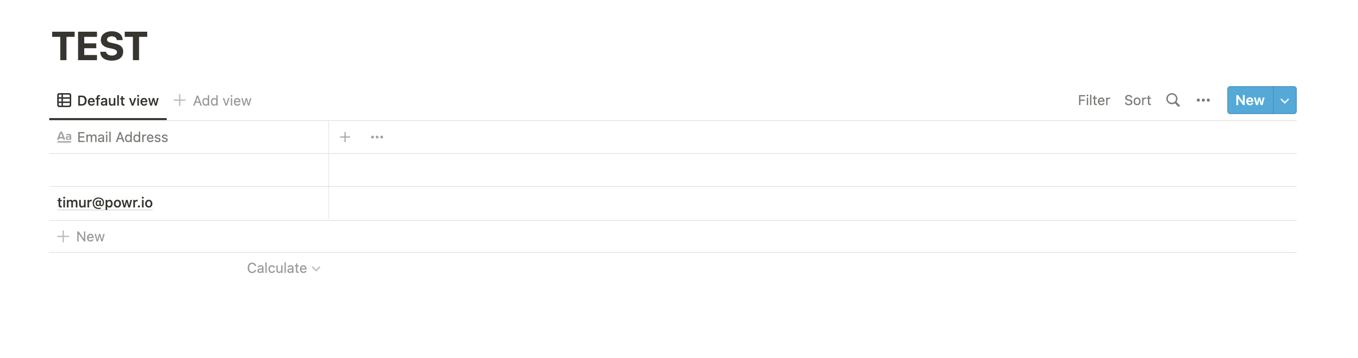
You can also add additional fields as below and it will also work perfectly: