
Customizing the Email Footer
Customise the Footer
To customise the footer, follow the following steps :
Open the POWR Editor for your Form Builder (or Popup) app
Navigate to Email and click on Autoresponder
Scroll down to the Footer section of the email editor
Make your changes using the toolbar options
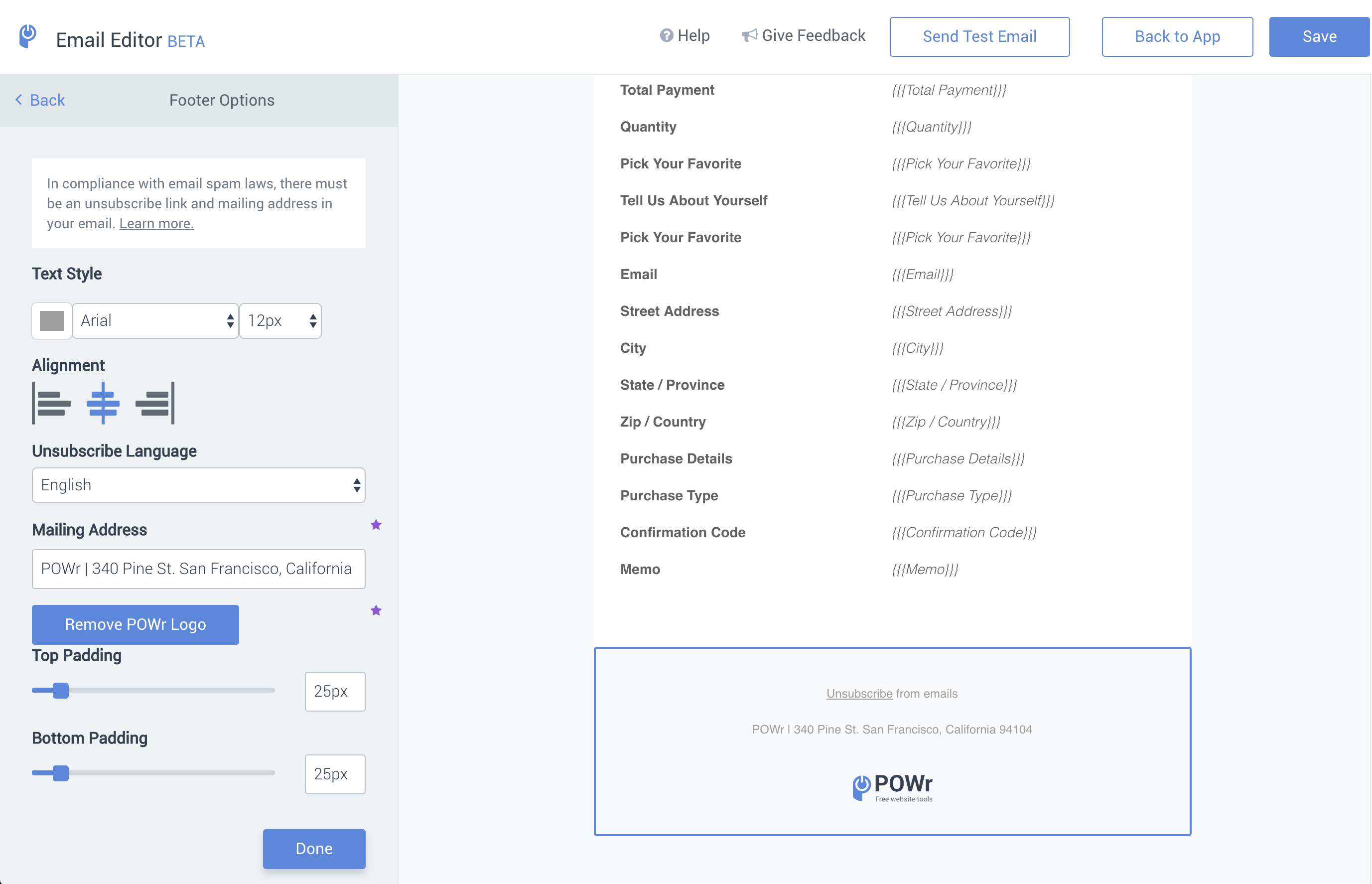
Once in the Footer Options, you can customise the text in the footer to match your branding. All free plans contain the POWR logo at the bottom of the email, and to remove it, you must upgrade to the Starter plan. If you want to change the footer address, you would need to upgrade to the Pro Plan.
Spam Laws
In order to protect you from anti-spam requirements, all emails will deploy with the following elements in the footer:
A valid postal address
By default, all emails will contain POWR’s mailing address (340 Pine Street, San Francisco, CA 94104) because of the CAN-SPAM Act. You can change the postal address to your own when you upgrade to Starter.
Unsubscribe link in the footer
The CAN-SPAM Act requires all emails to contain a way for subscribers to opt-out of receiving messages. Because of this, an unsubscribe link will automatically be placed in the email footer and cannot be removed. When a user clicks on unsubscribe, they will be opted out of receiving future emails from this form.
To learn more about how POWR is protecting you from email spam, please read this help article.
Need Help?
If you need any help or have any questions about our Form Builder, our support team is happy to help.
👉 Contact our support team
When contacting us, you'll be prompted to authenticate your email by signing in, and a confirmation code will be emailed to you. This helps ensure our support team's reply will be delivered to you with no issues.
For more information about available features, visit our Pricing Page:
https://www.powr.io/pricing